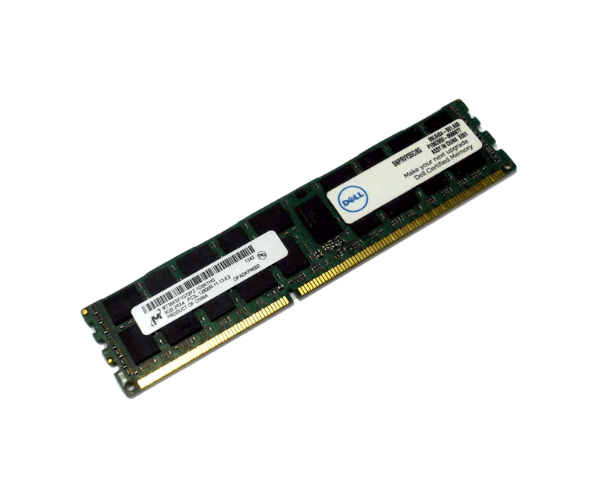
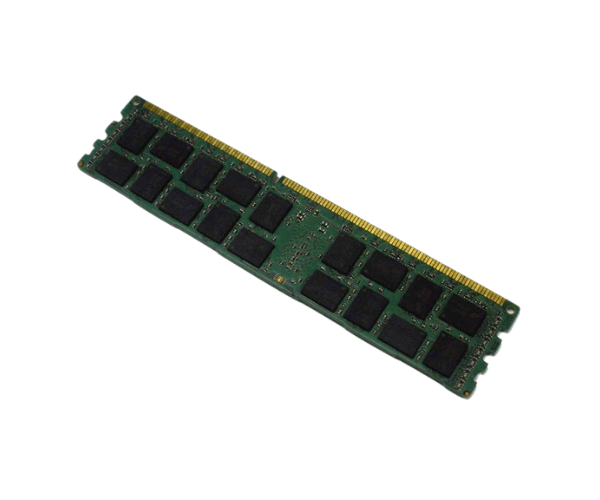
Introduction of Dell RVY55 8GB PC3L-12800R Memory
The
Dell RVY55 8GB PC3L-12800R Memory module is a high-performance upgrade designed to meet the demands of modern computing. With its 8GB capacity and efficient DDR3L technology, this memory solution provides the perfect balance of speed and reliability for both everyday tasks and more intensive applications. Whether you are upgrading an older server or enhancing your workstation, the
Dell RVY55 offers the performance boost you need to ensure a smooth and responsive experience.
Why Choose Dell RVY55 8GB PC3L-12800R Memory?
Choosing the
Dell RVY55 8GB Memory means selecting a memory solution that delivers exceptional performance and reliability. The 8GB capacity is suitable for multitasking and running demanding applications, making it ideal for both office and server environments. Additionally, the low voltage of 1.35V ensures energy efficiency while maintaining high speeds of up to 1600MHz. With ECC support, this memory module also offers enhanced data integrity, making it a perfect choice for critical workloads. By selecting the
Dell RVY55, you can confidently upgrade your system's performance without compromising on quality.
User Experience
Users who have installed the
Dell RVY55 PC3L-12800R Memory in their systems report a noticeable increase in performance. Tasks such as data processing, gaming, and multitasking become smoother and more efficient. Many users appreciate the reliability of Dell products, often mentioning the ease of installation and compatibility with their existing setups. The overall user experience highlights how this memory module not only meets but often exceeds expectations, providing a significant enhancement to system functionality.
Detailed Breakdown of Features
- 8GB Capacity: Ample memory to support multitasking and run demanding applications smoothly.
- DDR3L Technology: Low-voltage memory technology that reduces power consumption without sacrificing performance.
- Data Rate of PC3L-12800R: Ensures fast data transfer rates for improved responsiveness.
- Speed of 1600MHz: Provides quick access to data, enhancing overall system performance.
- RDIMM Form Factor: Designed for easy installation in compatible systems, ensuring a secure fit.
- 2Rx4 Rank: Offers optimal performance for a variety of workloads, making it versatile for different applications.
- 1.35V Voltage: Energy-efficient design minimizes power usage while maximizing performance.
- ECC Support: Error-Correcting Code technology enhances data integrity, making it suitable for critical computing tasks.
- Compatibility: Designed to work with various Dell servers and workstations, ensuring seamless integration.
- Reliable Brand: Dell's commitment to quality provides assurance of a durable and effective memory solution.
Installation Steps
- Power Down Your System: Completely shut down your computer and unplug it from the power source for safety.
- Open the Case: Follow the manufacturer’s guidelines to remove the side panel of your computer case.
- Locate the Memory Slot: Identify the available RDIMM slot on your motherboard where the Dell Memory will be installed.
- Prepare the Memory Module: Carefully take the memory module out of its packaging, holding it by the edges to prevent any static damage.
- Align the Module: Position the Dell RVY55 above the memory slot, ensuring the notches align correctly.
- Insert the Module: Gently press down on both ends of the module until it clicks into place, securing it with the retaining clips.
- Close the Case: Replace the side panel of your computer case and ensure it is properly secured.
- Reconnect Power: Plug your system back into the power outlet and turn it on.
- Verify Installation: Access the system BIOS during startup to confirm that the memory is recognized and functioning correctly.
Where It Can Be Used?
The
Dell 8GB PC3L-12800R Memory is versatile and can be utilized in various scenarios, including:
- Upgrading older servers to enhance performance for virtualization and data processing tasks.
- Improving workstations used for graphic design, programming, or data analysis.
- Supporting basic office applications for smoother multitasking in business environments.
- Enhancing gaming systems for better frame rates and load times in gaming applications.
- Providing additional memory for systems running resource-intensive software, ensuring stability and efficiency.