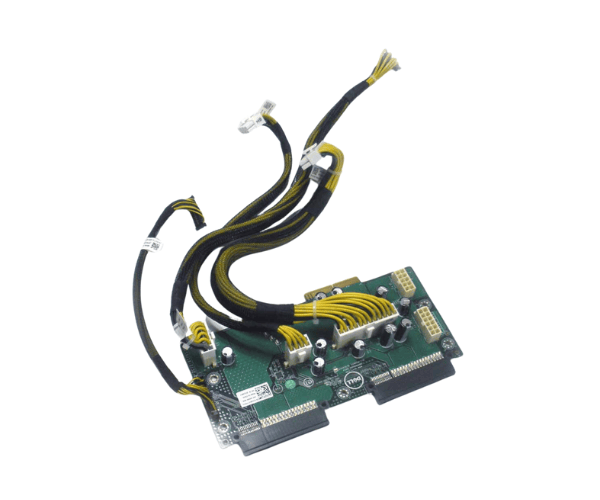
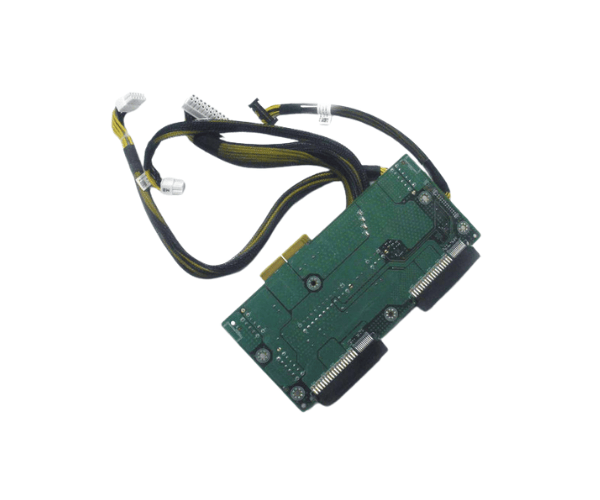
Introduction of Dell J14R7 Power Distribution Board
The
Dell J14R7 Power Distribution Board is a vital component designed to ensure reliable power management for your Dell servers. This power distribution board plays a crucial role in distributing power efficiently across various server components, maintaining optimal performance and stability. Engineered for high-demand environments, the Dell Power Distribution Board supports continuous operations, making it an ideal choice for businesses and data centers that require dependable server functionality.
Why Choose the Dell J14R7 Power Distribution Board?
Choosing the
Dell Distribution Board means investing in reliability and efficiency for your server setup. This board offers seamless power distribution, ensuring that all connected components receive the power they need without fluctuations. With its robust design and compatibility with various Dell servers, the Dell J14R7 provides peace of mind for businesses that rely on continuous uptime. Its compact form factor allows for straightforward installation, making it a practical choice for IT professionals and system administrators.
User Experience
Users consistently praise the
J14R7 Power Distribution Board for its ease of installation and dependable performance. Many report significant improvements in server stability after upgrading to this power distribution board. IT departments appreciate the board’s ability to handle demanding workloads while efficiently distributing power, reducing the risk of downtime. The user-friendly design and clear instructions enhance the overall experience, making it suitable for both seasoned professionals and newcomers to server management.
Detailed Breakdown of Features
- Reliable Power Distribution: Ensures consistent power flow to all server components.
- Compact Design: Enables straightforward installation in tight spaces.
- Wide Compatibility: Works seamlessly with various Dell PowerEdge servers.
- Energy Efficiency: Enhances power utilization, helping to lower energy expenses.
- Robust Construction: Built to withstand the rigors of demanding environments.
- User-Friendly Installation: Includes straightforward setup instructions.
- Lightweight: Easy to handle and install without additional assistance.
- Certification Compliance: Meets industry standards for safety and performance.
- Extended Warranty: Offers a one-year limited warranty for peace of mind.
- Versatile Applications: Suitable for data centers, corporate IT setups, and more.
Installation Steps
- Gather Necessary Tools: Before starting, ensure you have the required tools, including a screwdriver and any other specified equipment.
- Power Down the Server: Safely shut down the server and disconnect it from the power source to avoid any electrical hazards.
- Open the Server Chassis: Remove the screws or clips securing the server chassis cover and carefully lift it off.
- Locate the Power Slot: Identify the designated slot for the Dell Power Distribution Board inside the server.
- Insert the Board: Align the board with the slot and gently press it into place until it is secure.
- Secure the Board: Ensure that the board is properly seated and fasten it in place using the provided screws or clips.
- Reconnect the Power Supply: Attach the power supply back to the server and secure the chassis cover in place.
- Power On the Server: Restore power to the server and monitor for any indicators of successful installation.
Where It Can Be Used?
The
Dell Power Distribution Board is ideal for various applications, including:
- Data Centers: Enhancing the reliability of server operations in high-demand environments.
- Corporate IT: Supporting stable power distribution for business-critical applications.
- Virtualization: Providing the necessary power management for virtualized server setups.
- Cloud Services: Ensuring consistent performance for cloud-based applications and services.
- Edge Computing: Powering devices and servers in remote locations efficiently.