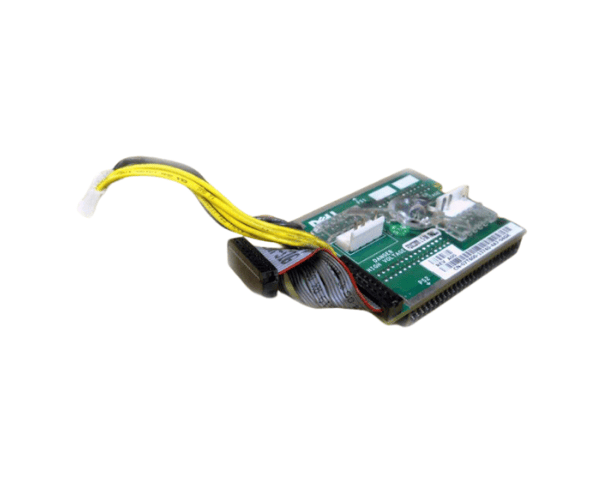
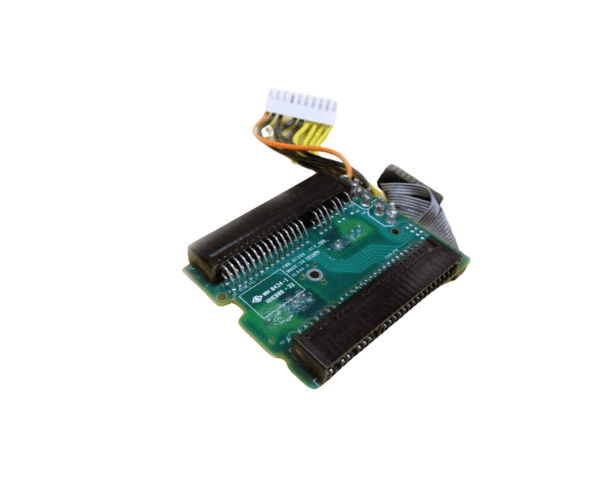
Introduction of Dell 7T600 Power Distribution Board
The
Dell 7T600 Power Distribution Board for PowerEdge 1750 is a critical component designed to enhance power management in Dell's PowerEdge 1750 servers. It provides reliable and efficient power distribution, ensuring your server operates smoothly and effectively. As organizations increasingly depend on robust server performance for their operations, the Dell 7T600 Power Distribution Board emerges as an essential solution for maintaining optimal power levels, which is crucial for data integrity and system reliability.
Why Choose the Dell 7T600 Power Distribution Board?
Choosing the
Dell Power Distribution Board for PowerEdge 1750 means investing in a product that offers excellent performance and reliability. This board optimizes power distribution, significantly reducing the risk of downtime and power interruptions. It supports a wide range of applications and workloads, making it an ideal choice for businesses with demanding server requirements. By ensuring consistent and efficient power management, this product plays a vital role in maintaining the overall health and longevity of your server.
User Experience
Users have reported high satisfaction with the
Dell Distribution Board. Many appreciate its seamless integration with the PowerEdge 1750, which simplifies installation and enhances server reliability. The lightweight design allows for easy handling and reduces installation time, making it a favorite among IT professionals. Overall, users find this power distribution board to be a reliable choice for managing their server’s power needs.
Detailed Breakdown of Features
- Efficient Power Management: Ensures stable power delivery to all server components.
- Wide Compatibility: Compatible with various Dell PowerEdge servers, particularly the PowerEdge 1750.
- Compact Design: Takes up minimal space, making it suitable for tight server configurations.
- Plug-and-Play Installation: Facilitates quick and easy installation without extensive technical knowledge.
- Lightweight Construction: Simplifies handling during installation or maintenance.
- Robust Build Quality: Designed to withstand the demands of data center environments.
- Multiple Output Ports: Provides several connections to support multiple devices.
- Energy Efficient: Optimizes power usage, helping to reduce energy costs.
- Reliability: Built to ensure consistent power delivery, enhancing overall server stability.
- User-Friendly: Easy to understand instructions that simplify the installation process.
Installation Steps
- Turn Off the Server: Power down your Dell PowerEdge 1750 before installation to ensure safety.
- Open the Server Chassis: Remove the chassis cover to access the internal components.
- Locate the Power Slot: Identify the designated slot for the Dell Distribution Board inside the server.
- Install the Power Board: Position the board correctly with the slot and carefully slide it into position.
- Secure the Board: Ensure the board is firmly seated and fasten it using the provided screws or clips.
- Reconnect Power Cables: Connect the power cables to the distribution board.
- Secure the Chassis: Firmly attach the server's cover back in place.
- Power On the Server: Turn on the server and verify that the power distribution board functions correctly.
Where It Can Be Used?
The
Dell Power Distribution Board is ideal for use in data centers, corporate IT environments, and businesses that rely on Dell PowerEdge 1750 servers for their operations. It supports critical applications that require stable power delivery, including database management, web hosting, and enterprise resource planning.