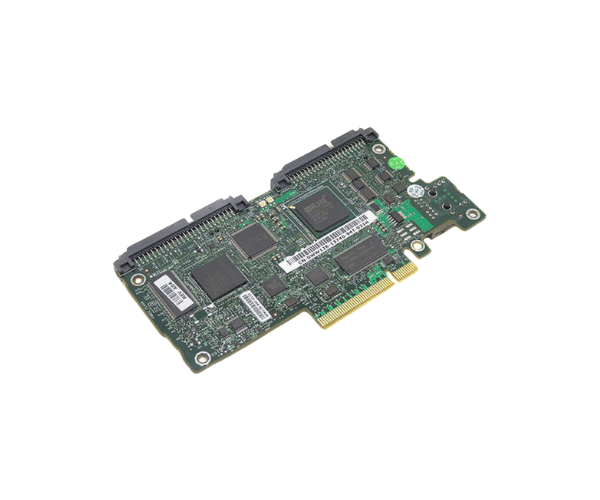
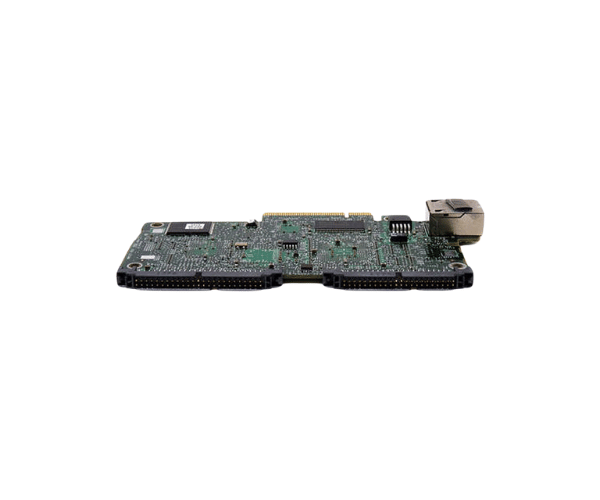
Introduction of Dell G8593 PowerEdge DRAC 5 Remote Access Management Controller Card
The Dell G8593 PowerEdge DRAC 5 Remote Access Management Controller Card is crucial for effectively managing Dell PowerEdge servers. It allows remote monitoring, management, and troubleshooting, reducing the need for physical access. IT administrators can efficiently handle server tasks from any location. This controller ensures your server infrastructure stays robust, secure, and operational in demanding environments.
Why Choose Dell G8593 PowerEdge DRAC 5 Remote Access Management Controller Card?
The Dell G8593 DRAC 5 Remote Access Management Controller Card is crucial for businesses focused on secure server management. This product offers unmatched access and control over servers from any location. The Dell G8593 DRAC 5 card lets you monitor server health, perform updates, and troubleshoot remotely. It reduces downtime and boosts productivity. With strong security features, it protects against unauthorized access, making it a reliable option for businesses of all sizes.
User Experience
Users have consistently reported positive experiences with the Dell G8593 PowerEdge DRAC 5 Remote Access Management Controller. The intuitive interface and comprehensive features make it easy to manage servers remotely, even for those who may not be deeply technical. The card's ability to seamlessly integrate with existing Dell PowerEdge servers ensures that users can quickly deploy and start using it without hassle. Additionally, the reliability and performance of the Dell G8593 DRAC 5 card provide peace of mind, knowing that server management is always within reach.
Detailed Breakdown of Features
The Dell G8593 PowerEdge Remote Access Management Controller Card enhances server management. It includes a dedicated 10/100/1000 Ethernet interface for fast and secure remote management. The web-based interface is easy to access via any secure browser. This allows administrators to monitor system health, manage power settings, and update firmware remotely. The controller supports IPMI and SNMP protocols, offering flexible management options. With virtual media support, administrators can install software and handle critical tasks remotely as if they were on-site.
Installation Steps
- Prepare the Server: Shut down the server and disconnect all power cables.
- Locate the DRAC Slot: Identify the designated DRAC slot on the motherboard of the Dell PowerEdge server.
- Install the Controller: Gently place the Dell DRAC 5 into the designated slot and push until it fits securely.
- Secure the Controller: Use screws to fasten the controller to the server chassis.
- Reconnect Power: Plug the server's power cables back in securely.
- Boot the Server: Power on the server and verify that the controller is recognized during the boot process.
Where It Can Be Used?
The
Dell PowerEdge DRAC 5 Remote Access Management Controller Card is ideal for use in enterprise data centers, remote server management setups, and any environment where minimizing physical server access is crucial. It is compatible with a wide range of Dell PowerEdge servers, making it a versatile solution for IT administrators looking to enhance their server management capabilities.