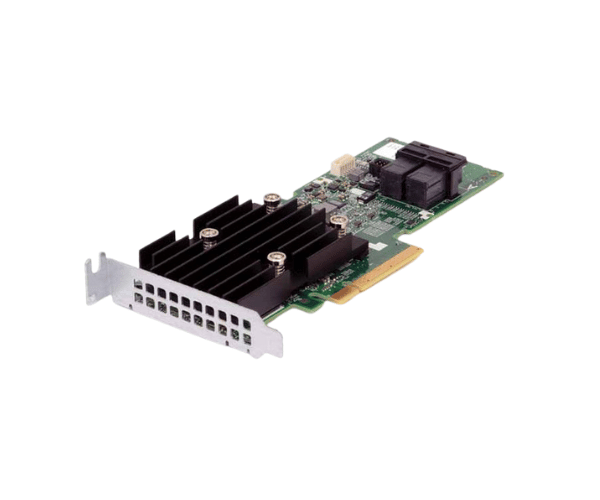
Introduction of Dell 1M71J PERC H740P RAID Controller
The Dell 1M71J PERC H740P RAID Controller enhances data storage performance and reliability for enterprise applications. This advanced controller optimizes data management and protects against data loss. It is essential for businesses needing high availability and efficient storage solutions. With its robust features and high-speed connectivity, the Dell 1M71J PERC H740P suits both small and large data centers.
Why Choose Dell 1M71J PERC H740P RAID Controller
Choosing the Dell 1M71J H740P RAID Controller means investing in a powerful and flexible solution for your data storage needs. This controller provides high-speed data access and strong protection, ensuring that your critical information remains safe and accessible. With its support for multiple RAID levels, the Dell 1M71J H740P allows you to tailor your data protection strategy to fit your business requirements, making it a versatile choice for any organization.
User Experience
Users report that the Dell 1M71J PERC RAID Controller is easy to install and configure. Many appreciate the detailed documentation and support provided by Dell, which simplifies the setup process. Once installed, the controller delivers impressive performance, significantly improving data access speeds and overall system efficiency. Users find that the controller enhances their data storage capabilities, allowing for smoother operations and less downtime.
Detailed Breakdown of Features
The Dell 1M71J PERC RAID Controller excels with high data transfer rates, reaching up to 12Gbps per port. This feature enables quick access to data, which is crucial in performance-driven environments. With 8GB of DDR4 cache memory, the controller efficiently handles read and write operations, boosting data transaction speeds. It accommodates multiple RAID configurations, such as RAID 0, 1, 5, 6, 10, 50, and 60. This offers users flexibility in configuring data protection strategies. Additionally, it can connect up to 32 drives, allowing for easy storage expansion without sacrificing performance. The Dell 1M71J PERC prioritizes reliability, ensuring data integrity and availability for businesses.
Installation Steps
- Prepare the System: Start by powering off the server and unplugging it from all power sources. This step ensures safety during installation.
- Insert the Controller: Locate an available PCIe 3.0 x8 slot in your server. Carefully place the Dell RAID Controller into the slot, ensuring it is securely and firmly seated.
- Secure the Controller: Fasten the controller in place using the appropriate screws. This secures it firmly within the server.
- Connect Storage Drives: Use suitable cables to connect your SAS or SATA drives to the controller. Ensure that all connections are secure to avoid data issues.
- Boot and Configure: Turn on the server and access the BIOS or RAID configuration utility. Confirm that the controller is recognized, then proceed to set up your preferred RAID configuration.
- Final Configuration: Adhere to the on-screen prompts to finalize the RAID setup. Verify that all drives are correctly set up and accessible for use.
Where It Can Be Used?
The
Dell 1M71J PERC H740P Controller is suitable for a variety of environments, including data centers, corporate IT departments, and small to medium-sized businesses. It performs exceptionally well in scenarios that demand rapid data retrieval and strong protection, including database management, cloud services, virtualization, and extensive data storage solutions. Its support for up to 32 drives makes it perfect for organizations looking to enhance their storage infrastructure without compromising on performance.