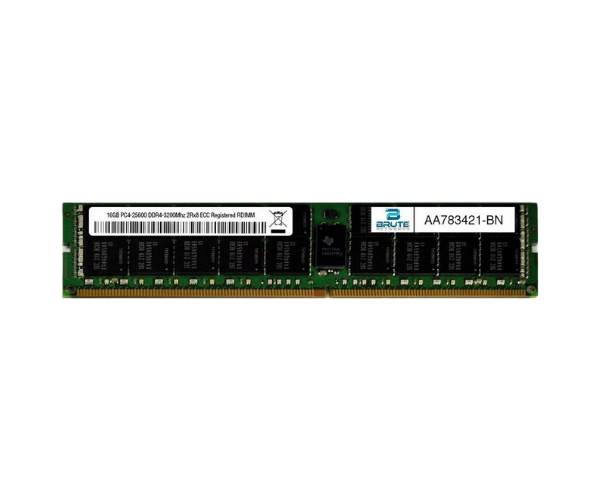
Introduction of Dell AA783421 16GB 3200MHz PC4-25600 Memory
The
Dell AA783421 16GB 3200MHz PC4-25600 Memory is designed to significantly enhance your system's performance. Whether you’re a gamer, content creator, or professional user, this memory module provides the speed and capacity required for smooth multitasking and demanding applications. With a blend of high speed and reliability, the Dell AA783421 is the perfect upgrade for modern computing needs.
Why Opt the Dell AA783421 16GB 3200MHz PC4-25600 Memory?
Opting for the
Dell AA783421 16GB 3200MHz Memory is a smart decision for those looking to upgrade their systems efficiently. With 16GB of capacity, it allows users to run multiple applications simultaneously without lag. The 3200MHz speed ensures quick data transfer and responsive performance, making it an excellent choice for both casual and professional use. The Dell AA783421 is compatible with various systems, providing versatility and ease of integration.
User Experience
Users have reported remarkable improvements in their system's speed and overall performance after installing the
Dell AA783421 16GB 3200MHz Memory. Many have noted that tasks like gaming, video editing, and running heavy applications become seamless and enjoyable. The installation process is straightforward, with most users managing to upgrade their memory without any technical issues. Furthermore, the reliability of Dell products adds to user confidence in their purchase.
Detailed Breakdown of Features
- High Capacity: With 16GB of memory, users can efficiently multitask and run demanding applications.
- Fast Speed: At 3200MHz, this memory module delivers rapid data access and improved system responsiveness.
- ECC Support: The Error-Correcting Code feature ensures data integrity, making it ideal for critical computing tasks.
- Low Voltage: Operating at only 1.2V, it contributes to lower power consumption, enhancing energy efficiency.
- Durable Construction: Engineered to endure daily wear and tear, providing consistent reliability over the long term.
- Easy Installation: The DIMM form factor simplifies the upgrade process, making it accessible for all users.
- Wide Compatibility: Compatible with a variety of Dell systems and motherboards that support DDR4 memory.
- Stable Performance: Provides consistent performance for everyday tasks and intensive applications alike.
- Cost-Effective Upgrade: Enhances system performance without requiring a significant investment.
- Trusted Brand: Backed by Dell’s reputation for high-quality memory solutions.
Installation Steps
- Power Off Your System: Ensure the computer is turned off and unplugged from the electrical outlet to avoid any hazards.
- Open the Computer Case: Use a screwdriver to remove screws or latches that secure the computer case, allowing access to internal components.
- Locate the Memory Slots: Identify the DIMM slots on the motherboard, usually situated near the CPU.
- Remove Existing Memory (if necessary): If you are replacing old memory, gently push the clips on both sides of the module to release it.
- Insert the Dell AA783421 Memory: Align the notch on the memory module with the slot and press down firmly until the clips snap into place.
- Close the Computer Case: Replace the screws or latches to ensure the computer case is securely closed.
- Reconnect Power Supply: Plug the computer back into the electrical outlet to restore power.
- Boot Your System: Turn on the computer and access the BIOS to check if the new memory is recognized and functioning properly.
Where It Can Be Used?
The
Dell 16GB 3200MHz PC4-25600 Memory offers excellent versatility and can be utilized in a variety of scenarios, such as:
- Gaming: Perfect for gamers seeking to improve frame rates and reduce lag during gameplay.
- Content Creation: Ideal for video editors and graphic designers who require substantial memory for rendering and multitasking.
- Workstations: Great for professionals using software that demands high memory capacity for optimal performance.
- Virtualization: Supports multiple virtual machines running smoothly on a single host.