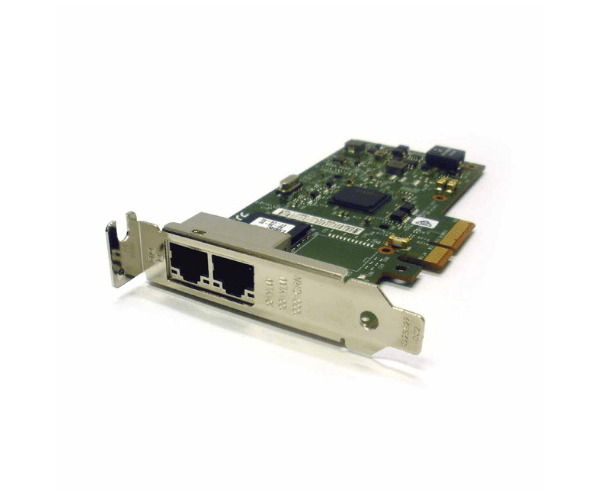
Introduction of Dell 8WWC9 Intel I350-T2 2-Port PCIe 1GB LP Network Adapter
The Dell 8WWC9 Intel I350-T2 2-Port PCIe 1GB LP Network Adapter is a high-performance networking solution designed to enhance connectivity in a variety of computing environments. This network adapter provides reliable and high-speed Ethernet connections, ensuring smooth data transfer and efficient network management. With its dual-port configuration and low-profile design, it is ideal for servers, workstations, and other devices that require dependable network access.
Why Choose the Dell 8WWC9 Intel I350-T2 2-Port PCIe 1GB LP Network Adapter?
Choosing the Dell 1GB LP Network Adapter guarantees enhanced performance and reliability for your network. With its dual-port functionality, this adapter establishes redundant network connections and significantly boosts overall network stability. Each port provides 1GB speed, offering sufficient bandwidth for most applications and making it ideal for both small and medium-sized business environments. Moreover, its low-profile design seamlessly integrates into various server chassis and workstations, effectively saving space and ensuring efficient operation. By opting for the Dell 1GB LP Network Adapter, you improve network performance while maximizing hardware compatibility.
User Experience
Users consistently report high satisfaction with the Dell 1GB LP Network Adapter. They emphasize how the easy installation and straightforward configuration streamline the setup process. Additionally, the adapter’s robust performance and dual-port design are highly valued for offering flexible and redundant network connections, which are crucial for maintaining high availability. The low-profile design further stands out, as it fits neatly into tight spaces, contributing to a clean and efficient setup. Overall, the Dell 8WWC9 Intel I350-T2 is praised not only for its reliability but also for its effectiveness in enhancing network connectivity, making it a top choice for users seeking dependable network solutions.
Key Features
- Dual-Port Configuration: Provides two 1GB Ethernet ports for flexible and redundant network connections.
- PCIe Interface: Ensures high-speed data transfer and compatibility with modern server and workstation systems.
- Low-Profile Design: Fits into compact server and workstation chassis, maximizing space efficiency.
- Advanced Network Management: Supports VLAN and Quality of Service (QoS) for improved network management.
- Reliability: Delivers stable and consistent network performance, essential for mission-critical applications.
Installation Step
- Power Down the System: Ensure that the server or workstation is powered off and unplugged.
- Open the Chassis: Remove the cover of the server or workstation to access the PCIe slots.
- Insert the Adapter: Carefully insert the Dell 8WWC9 Intel I350-T2 into an available PCIe slot.
- Secure the Adapter: Fasten the adapter to the chassis using the appropriate screws.
- Close the Chassis: Replace the cover of the server or workstation.
- Power On the System: Reconnect the power and turn on the server or workstation.
- Install Drivers: Follow the manufacturer's instructions to install any necessary drivers for the adapter.
Where It Can Be Used?
The
Dell LP Network
Adapter excels in diverse environments. In data centers, it significantly boosts network connectivity, ensuring reliable performance for mission-critical applications. Enterprises and businesses benefit from its robust design, which supports high-throughput storage networks efficiently. Additionally, this adapter proves invaluable when upgrading existing server infrastructure; it enhances data transfer speeds and guarantees network redundancy. Thus, the Dell LP Network Adapter not only improves overall network efficiency but also strengthens the reliability of data transfer across various settings.