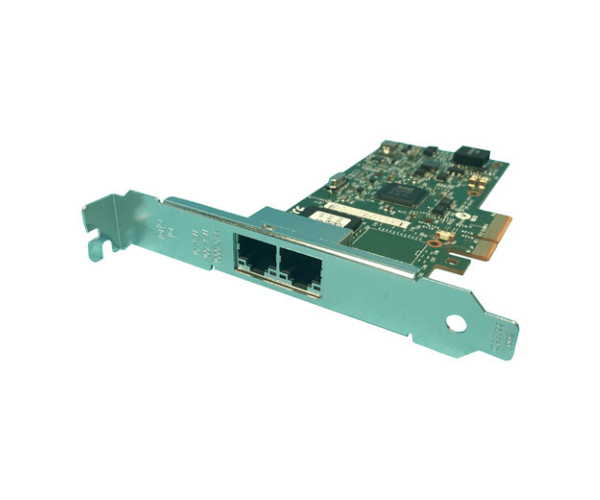
Introduction of Dell 7MJH5 Intel I350 2-Port PCIe Network Card
Elevate your network’s performance with the Dell 7MJH5 Intel I350 2-Port PCIe Network Card. This high-performance network card is designed to provide fast, reliable connectivity for various computing environments. Engineered for efficiency, it seamlessly integrates into your systems, enhancing overall performance.
Why Choose the Dell 7MJH5 Intel I350 PCIe Network Card?
Opt for the Dell 7MJH5 Intel I350 2-Port Network Card to experience reliable and high-speed networking. It features dual Gigabit Ethernet ports that ensure robust data transfer rates, critical for today’s demanding applications. By choosing this network card, you enhance your system’s performance and enjoy smooth connectivity.
User Experience
Users frequently highlight how the Dell 7MJH5 Intel I350 2-Port Network Card improves their network performance and data transfer speeds. Many appreciate its straightforward installation process and seamless compatibility with various Dell servers. Additionally, IT professionals value its stable performance, leading to fewer disruptions and increased productivity. The card’s sturdy construction, coupled with Dell’s excellent customer support, further enhances the overall user experience.
Key Features
- Dual Gigabit Ports: Provides two high-speed network connections for improved bandwidth and redundancy.
- Intel I350 Chipset: Delivers stable performance and supports advanced networking capabilities.
- Low Profile Design: Fits easily into different server and workstation cases.
- Seamless Integration: Works effortlessly with a range of Dell systems.
- Reliable Performance: Ensures consistent and high-speed network connectivity.
Installation Steps
- Power Down: Begin by turning off and unplugging your system.
- Open Case: Remove the computer case to access PCIe slots.
- Insert Card: Place the Dell 7MJH5 Intel I350 into an available PCIe slot.
- Secure: Fasten the card with screws and close the computer case.
- Connect: Attach network cables to the card’s ports.
- Power Up: Turn on your system and install any necessary drivers.
Where It Can Be Used?
The
Dell 7MJH5 Intel I350 2-Port Network
Adapter excels in high-performance data centers, virtualization environments, and network-intensive applications. It’s ideal for servers, workstations, and any setting where reliable and high-speed network connectivity is essential.