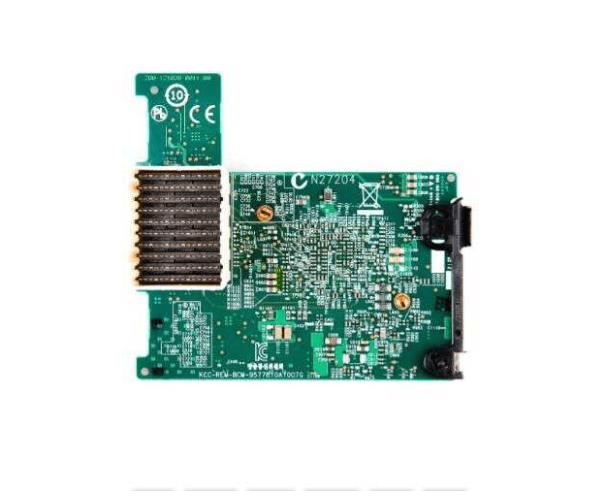
Introduction of Dell 55GHP Broadcom 57810S 10Gb Network Adapter
The Dell 55GHP Broadcom 57810S 10Gb Network Adapter is engineered to deliver high-performance network connectivity for demanding enterprise environments. With its 10Gb speed, this adapter ensures rapid data transfer and robust network performance, making it ideal for data-intensive applications. The Dell 55GHP Broadcom 57810S enhances your server’s networking capabilities, providing a reliable and efficient solution for modern IT infrastructures.
Why Choose the Dell 55GHP Broadcom 57810S 10Gb Network Adapter?
The Dell 55GHP Broadcom Network Adapter is your ideal choice for high-speed, reliable network connectivity. This adapter’s 10GbE performance ensures fast data transfer, crucial for high-bandwidth applications. By choosing the Dell 55GHP Broadcom 57810S, you gain superior speed and efficiency, which enhances overall network performance. Its compatibility with various operating systems and straightforward integration make it a valuable addition to any high-performance IT setup. Additionally, its energy-efficient design helps manage operational costs while providing robust connectivity.
User Experience
Users frequently praise the Dell 57810S 10Gb Network Adapter for its impressive speed and reliability. The dual 10GbE ports facilitate quick data transfers, significantly boosting network efficiency. The adapter integrates seamlessly with various systems, including Windows, Linux, and VMware, making it versatile for different IT environments. Installation is straightforward, and users report stable, high-performance network operations once set up. The Dell 55GHP Broadcom 57810S consistently meets expectations for reliability and performance in demanding network tasks.
Key Features
- High-Speed Performance: Dual 10GbE ports for rapid data transfer and high bandwidth.
- Full Height Design: Suitable for standard server configurations.
- Energy Efficient: Consumes only 20W, optimizing operational costs.
- Advanced Network Technology: Supports SFP+ connectors for enhanced connectivity.
- Broad Compatibility: Works with Windows, Linux, and VMware environments.
- Robust Performance: Delivers consistent, high-speed network access.
- Versatile Use: Ideal for a range of applications from data centers to enterprise networks.
- Simple Integration: Easily integrates with existing network infrastructure.
- Durable Build: Designed to handle demanding network tasks efficiently.
- Temperature Resilience: Operates effectively within a temperature range of 0°C to 55°C.
Installation Steps
- Power Down System: Ensure the computer is turned off and disconnected from the power source.
- Open Computer Case: Remove the case cover to access the internal components.
- Locate PCIe Slot: Identify an available PCIe 3.0 slot on the motherboard.
- Insert Adapter: Carefully insert the Dell 55GHP Broadcom 57810S into the PCIe slot.
- Secure Adapter: Use screws or clips to secure the adapter.
- Connect Cables: Attach SFP+ cables to the adapter’s ports.
- Close Computer Case: Replace and secure the case cover.
- Reconnect Power: Plug the computer back into the power source and turn it on.
- Install Drivers: Download and install the latest drivers from Broadcom’s website.
- Configure Network: Adjust network settings using the system utilities.
Where It Can Be Used?
The
Dell 55GHP Network
Adapter is highly versatile and suitable for various high-performance network environments. It is perfect for data centers that demand high-speed connectivity and efficient data management. In enterprise servers, it enhances performance and reliability for critical applications. This adapter is also ideal for high-performance computing setups, offering fast data transfers for demanding tasks. Its compatibility and high-speed performance make it a valuable component for modern IT infrastructures.