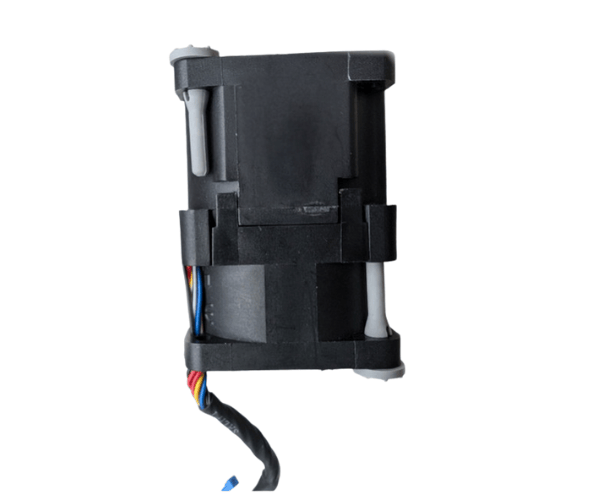
Introduction of Dell 50G83 Server Cooling Fan
The
Dell 50G83 Server Cooling Fan for PowerEdge R340 enhances your server's cooling efficiency. This cooling fan ensures optimal thermal performance, maintaining system reliability and preventing overheating during intense computing tasks. By using the Dell 50G83 cooling fan, you effectively extend your server's lifespan while boosting its overall performance.
Why Choose the Dell 50G83 Cooling Fan?
Choosing the
Dell Server Cooling Fan for PowerEdge R340 ensures your server operates smoothly under heavy workloads. This fan is engineered specifically for the PowerEdge R340, making it a perfect fit for your cooling needs. By maintaining optimal temperatures, the Dell 50G83 cooling fan helps prevent potential hardware failures and enhances the overall performance of your server. Moreover, its quiet operation ensures a peaceful working environment, making it an ideal choice for data centers and offices.
User Experience
Users report a significant improvement in system stability and performance after installing the
Dell 50G83 cooling fan. Many appreciate the fan's efficient airflow design, which effectively dissipates heat without creating excessive noise. Its easy installation process allows users, even those with minimal technical skills, to replace the fan quickly. Overall, users value the
Dell 50G83 for its reliability and performance.
Detailed Breakdown of Features
- Effective Airflow: Delivers optimal ventilation to keep temperatures in check and prevent overheating.
- Quiet Operation: Operates at a noise level of just 40 dBA for a peaceful environment.
- Easy Installation: Designed for straightforward installation with a 4-pin connector.
- High Airflow Rate: Delivers up to 56 CFM to ensure optimal cooling.
- Robust Design: Crafted from premium materials to ensure lasting durability and reliable performance.
- Designed for PowerEdge R340: Specifically engineered to fit and function perfectly with your server.
- Compact Size: Space-saving dimensions make it suitable for various server configurations.
- Reliable Performance: Ensures stable operation even under heavy loads.
- Cost-effective Solution: An affordable way to enhance your server’s cooling capabilities.
Installation Steps
- Power Down the Server: Ensure the server is completely turned off and unplugged from the power source.
- Remove the Server Cover: Carefully detach the chassis cover to access the internal components.
- Locate the Fan Slot: Identify the designated fan slot where the Dell 50G83 will be installed.
- Align the Cooling Fan: Position the cooling fan properly with the connector aligned with the motherboard header.
- Insert the Fan: Gently push the fan into the slot until it is securely in place.
- Reconnect the Connector: Plug the fan's connector into the appropriate motherboard socket.
- Secure the Chassis: Properly reattach the server cover to ensure it fits tightly.
- Power Up the Server: Plug the server back in and power it on to ensure the fan operates correctly.
Where It Can Be Used?
The
Dell Cooling Fan is ideal for use in various environments where Dell PowerEdge R340 servers operate. It is perfect for:
- Data Centers: Maintaining optimal temperatures for multiple servers.
- Office Environments: Ensuring quiet and efficient operation of server rooms.
- Remote Work Locations: Supporting server performance in home offices.
- IT Infrastructure: Enhancing cooling systems in corporate IT setups.
What is the Price of Dell 50G83 Server Cooling Fan in Bangladesh?
Crystal Vision Solutions focuses on providing high-quality Dell Server Fans & Blowers and components, such as the
Dell 50G83 Server Cooling Fan, tailored to various needs across Bangladesh. We provide products designed to deliver exceptional performance and consistent reliability. We offer competitive pricing and provide professional service tailored to meet your business needs efficiently.