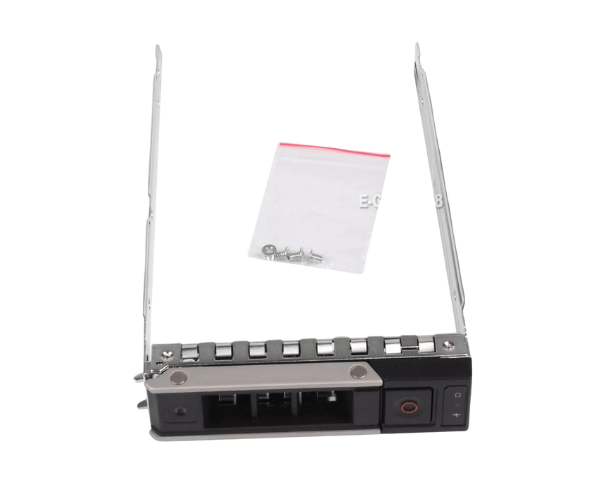
Overview of Dell 3.5" SAS/SATA HDD Drive Caddy Tray 0X7K8W
The
Dell 3.5" SAS/SATA HDD Drive Caddy Tray 0X7K8W enhances your Dell PowerEdge server's storage capabilities. This caddy tray integrates hard drives seamlessly into your server setup, providing a reliable and efficient solution for data management. Whether you upgrade your current storage or expand your server's capacity, this caddy tray secures and easily accesses your drives.
Why Opt Dell 3.5" SAS/SATA HDD Drive Caddy Tray 0X7K8W?
Choosing the
Dell SAS/SATA HDD Drive Caddy Tray 0X7K8W offers several advantages that enhance your server’s performance and reliability. This product is specifically designed for compatibility with various PowerEdge models, ensuring that you receive a seamless fit and integration.Its robust design ensures longevity, safeguarding your drives against potential damage. Additionally, this caddy tray simplifies the process of installing and replacing hard drives, allowing you to maintain optimal server performance with minimal effort.
User Experience
Customers using the
Dell 3.5" SAS/SATA HDD Drive Caddy Tray value its straightforward installation process and dependable performance. Many report that the caddy's design allows for quick and straightforward mounting of hard drives without the need for specialized tools. The lightweight design makes handling and installation a breeze, while the robust build provides peace of mind regarding the safety of your valuable data. Overall, users find that this caddy tray enhances their server’s functionality and reliability.
Detailed Breakdown of Features
- Robust Construction: Made from high-quality materials for long-lasting durability.
- Easy Installation: Designed for quick and simple mounting of hard drives.
- Compatibility: Works seamlessly with PowerEdge T640, R740, R740xd, R940, and C6420 servers.
- Secure Fit: Ensures a snug and secure fit for SAS/SATA drives.
- Lightweight Design: Facilitates easy handling and installation.
- Versatile Use: Suitable for various storage needs, from personal to enterprise-level applications.
- Efficient Data Management: Helps keep your drives organized and accessible.
- Cost-Effective: A budget-friendly solution for expanding your server's storage capacity.
- User-Friendly: Designed with the end-user in mind for straightforward operation.
Installation Steps
- Power Down: Ensure your PowerEdge server is turned off and disconnected from the power source.
- Remove Old Drive: If replacing an existing drive, gently remove the old drive from its caddy.
- Insert New Drive: Slide your new SAS/SATA drive into the Dell Caddy Tray 0X7K8W until it clicks into place.
- Secure the Caddy: Use the locking mechanism to ensure the drive is securely held in the caddy.
- Reinstall the Caddy: Reinsert the caddy by sliding it back into the server’s drive bay until it locks securely into position.
- Reconnect Power: Plug your server back in and power it on to detect the new drive.
Where It Can Be Used?
The
Dell 3.5" HDD Drive Caddy Tray 0X7K8W is ideal for a variety of applications, including:
- Data Centers: Perfect for managing multiple servers with high storage needs.
- Corporate Settings: Ideal for organizations that need dependable data storage solutions.
- Small Offices: Ideal for small setups needing to expand their server capabilities.
- Home Servers: Great for tech enthusiasts who want to customize their home server storage.