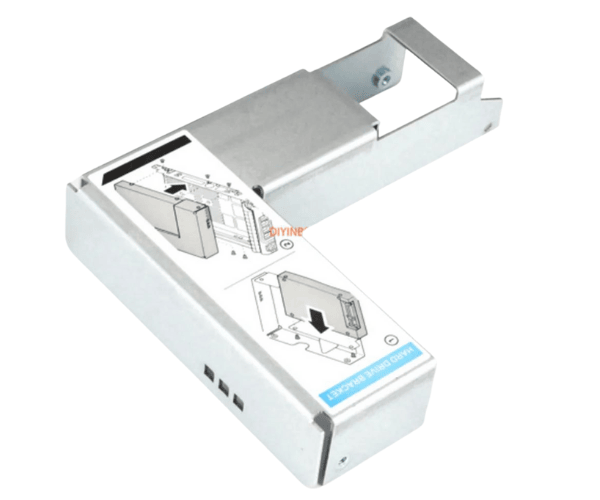
Introduction of Dell 9W8C4 3.5" to 2.5" Caddy Adapter
The Dell 9W8C4 3.5" to 2.5" Caddy Adapter helps improve storage in Dell PowerEdge servers like the R710, R720, R730, and R520. It fits 2.5" SAS or SATA drives into 3.5" bays. This makes upgrading or replacing storage easier. You won't need expensive hardware changes. The adapter ensures a smooth and efficient transition when expanding storage or swapping drives.
Why Choose Dell 9W8C4 3.5" to 2.5" Caddy Adapter?
Choosing the
Dell 9W8C4 Caddy Adapter allows users to enhance their server's storage capacity without upgrading their entire system. This adapter provides seamless integration of 2.5" drives into 3.5" bays, ensuring compatibility with
Dell PowerEdge R710, R720, R730, and R520 servers. It also reduces the cost and effort of expanding storage by enabling the use of smaller, often faster, drives. Moreover, its durable build ensures long-term reliability, making it a smart choice for businesses that need efficient, scalable storage solutions.
User Experience
Users appreciate the
Dell 3.5" to 2.5" Caddy Adapter for its ease of use and reliable performance. Installation is straightforward, and the adapter securely holds the 2.5" drives in place. The caddy adapter is well-designed to ensure proper airflow, keeping the drives cool during operation. Many users have noted that the adapter fits perfectly in Dell PowerEdge servers, making it an ideal solution for those looking to add more storage without upgrading to a larger drive bay.
Detailed Breakdown of Features
- Fits 2.5" SAS/SATA drives into 3.5" drive bays
- Compatible with Dell PowerEdge R710, R720, R730, and R520 servers
- Easy installation with secure screw mounts
- Durable metal and plastic construction for long-term use
- Ventilated design to improve airflow and prevent overheating
- Lightweight and easy to handle
- Ensures secure mounting of 2.5" drives
- Reduces costs by allowing the use of smaller drives in larger bays
- Provides flexible storage solutions for growing data needs
- Reliable performance and high compatibility with Dell servers
Installation Steps
- Shut Down the Server: Turn off your Dell PowerEdge server and disconnect it from any power source.
- Locate the Drive Bay: Open the chassis and find the 3.5" drive bay where the caddy adapter will be installed.
- Prepare the Adapter: Securely mount the 2.5" SAS or SATA drive into the Dell 9W8C4 3.5" to 2.5" Caddy Adapter.
- Insert the Adapter: Slide the adapter with the drive into the 3.5" drive bay, making sure it fits firmly in place.
- Fasten the Caddy: Use the screws to secure the caddy, ensuring stability during server operation.
- Reconnect Power: Plug the server back in and turn it on.
- Confirm Installation: Verify that the system detects the new drive and it's functioning as expected.
Where It Can Be Used?
The
Dell Caddy Adapter is compatible with Dell PowerEdge servers, including the
R710, R720, R730, and R520. It is ideal for enterprise environments where servers require flexible, high-capacity storage solutions. The caddy adapter allows for easy installation of 2.5" drives, providing a cost-effective way to upgrade or expand your server's storage.