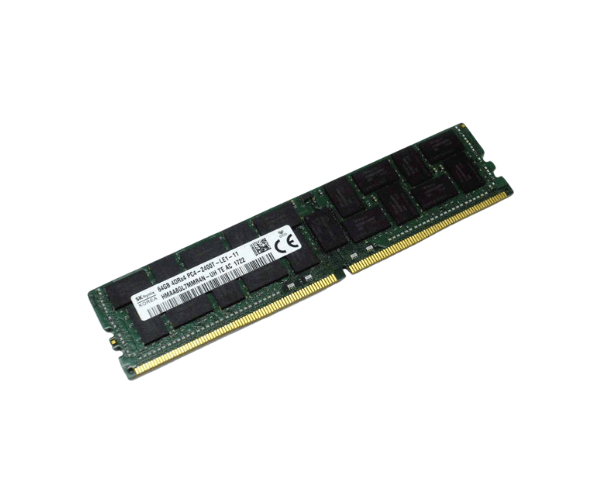
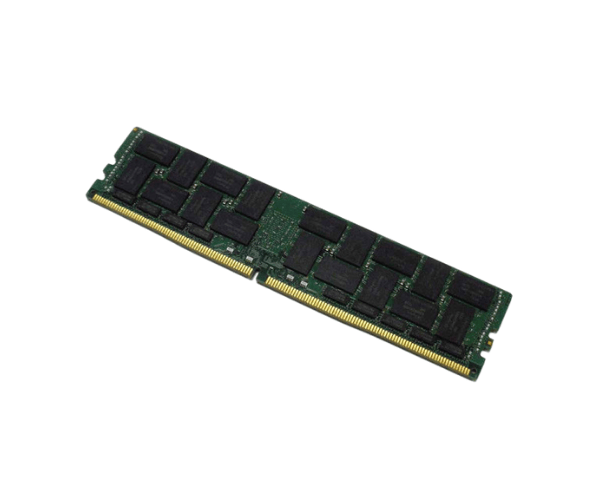
Introduction of Dell 29GM8 64GB DDR4-2400T PC4-19200 RDIMM Memory
The
Dell 29GM8 64GB DDR4-2400T PC4-19200 RDIMM Memory is designed to elevate your computing experience with enhanced speed and efficiency. This high-capacity memory module offers robust performance for both personal and professional use. Whether you are running multiple applications, engaging in heavy multitasking, or processing large data sets, this memory module ensures that your system operates smoothly and efficiently.
Why Choose Dell 29GM8 64GB DDR4-2400T PC4-19200 RDIMM Memory?
Choosing the
Dell 64GB DDR4-2400T PC4-19200 RDIMM Memory means investing in reliable performance and longevity for your computer. This memory module is engineered to handle demanding tasks, making it perfect for professionals, gamers, and content creators. With its large capacity, you can easily run multiple applications simultaneously without experiencing lag or slowdowns. The built-in Error-Correcting Code (ECC) support further enhances data integrity, making it an ideal choice for critical environments.
User Experience
Users of the
Dell 64GB DDR4-2400T PC4-19200 RDIMM Memory consistently report improved performance and faster loading times for applications. Many find that multitasking becomes seamless, allowing them to switch between tasks effortlessly. The memory module's stability and reliability contribute to a smoother user experience, enhancing productivity whether you are working on spreadsheets, graphic design, or gaming.
Detailed Breakdown of Features
- High Capacity: With 64GB of memory, users can handle large workloads and applications without a hitch.
- Speed: The 2400 MHz speed allows for faster data transfer, improving overall system performance.
- RDIMM Form Factor: Designed for compatibility with various servers and workstations.
- ECC Support: Detects and corrects data corruption to maintain data integrity.
- Low Power Consumption: Operates at 1.2V, reducing energy costs and heat generation.
- Durability: Built to last with high-quality components for long-term use.
- Easy Upgrade: Simple installation process enhances usability for both novice and experienced users.
- Compatibility: Designed to integrate effortlessly with supported Dell systems for a smooth user experience.
- Reliable Performance: Optimized for both professional applications and casual usage.
- Enhanced Multitasking: Supports running multiple applications simultaneously without performance loss.
Installation Steps
- Power Down the System: Shut down your computer and unplug it from the power source.
- Open the Computer Case: Remove the case cover to access the motherboard.
- Locate Memory Slots: Identify the available memory slots on your motherboard.
- Remove Existing Memory (if necessary): If upgrading, take out any existing memory modules carefully.
- Insert the Dell 29GM8 Memory: Align the notches on the memory stick with the slot and press down firmly until it clicks into place.
- Close the Computer Case: Replace the case cover securely.
- Reconnect the Power Supply: Plug the computer back into the power source.
- Power Up: Turn on your computer and enter the BIOS to ensure the new memory is recognized.
Where It Can Be Used?
The
Dell 29GM8 PC4-19200 RDIMM Memory is suitable for various applications, including:
- Workstations: Ideal for graphic design, video editing, and 3D rendering tasks.
- Servers: Ideal for managing resource-heavy applications and virtualization tasks.
- Gaming PCs: Enhances gaming performance, allowing for smooth gameplay and quick loading times.
- Business Use: Supports multitasking for office applications and collaborative work environments.