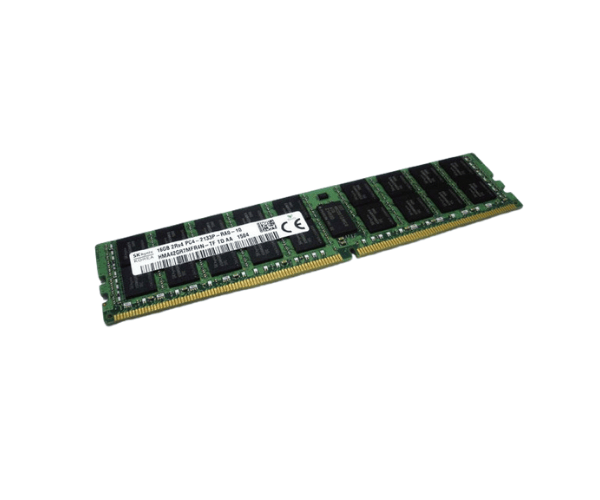
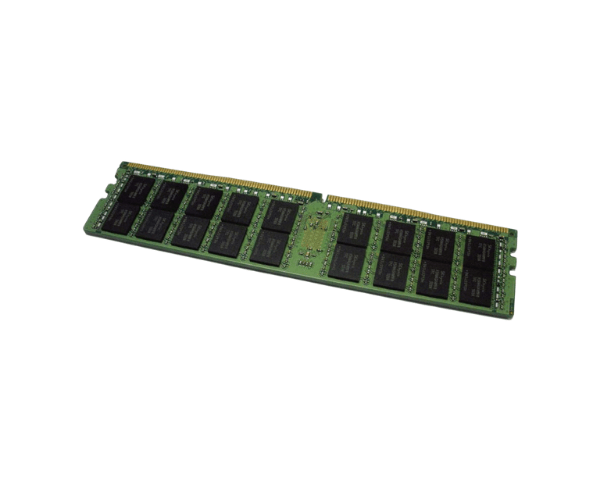
Introduction of Dell 1R8CR 16GB PC4-2133P DDR4 SDRAM Memory
Upgrade your computer with the
Dell 1R8CR 16GB PC4-2133P DDR4 SDRAM Memory, a powerful memory solution designed to meet the demanding needs of modern computing. This memory module not only boosts your system's speed but also enhances multitasking capabilities, making it ideal for various applications, from data analysis to gaming. With its reliable performance and energy efficiency, this DDR4 SDRAM is the perfect choice for users looking to optimize their systems for both professional and personal use.
Why Opt Dell 1R8CR 16GB PC4-2133P DDR4 SDRAM Memory?
Selecting the
Dell 1R8CR 16GB DDR4 SDRAM Memory means investing in superior performance and reliability for your system. This memory module features a generous 16GB capacity, allowing for seamless multitasking and efficient handling of memory-intensive applications. Its 2133MHz speed ensures quick data processing, enhancing your overall computing experience. Moreover, the energy-efficient design operates at 1.2V, reducing power consumption and making it an environmentally friendly option. With error-correcting code (ECC) support, this memory also minimizes the risk of data corruption, making it ideal for critical tasks. Whether you're upgrading a workstation or a home PC, the
Dell 1R8CR 16GB DDR4 SDRAM Memory is the perfect choice to elevate your computing experience.
User Experience
Users have praised the
Dell 16GB PC4-2133P DDR4 SDRAM Memory for its exceptional performance and reliability. Many have reported noticeable improvements in system speed, allowing for smoother operations during multitasking and resource-heavy applications. The installation process is straightforward, enabling users to upgrade their systems without hassle. The ECC feature has also been highlighted for providing peace of mind, as it reduces the likelihood of memory errors that could lead to system crashes. Overall, customers have found this memory module to be a valuable enhancement to their systems.
Detailed Breakdown of Features
- 16GB Capacity: Ample memory to support multiple applications running simultaneously without lag.
- DDR4 Technology: Provides faster speeds and improved energy efficiency compared to previous generations.
- 2133MHz Speed: Ensures rapid data transfer, enhancing overall system responsiveness.
- 288-pin DIMM: Standard form factor that is compatible with a wide range of systems.
- 1.2V Operating Voltage: Low power consumption, contributing to energy savings and lower heat output.
- 1RX8 Configuration: Optimizes data access in multi-threaded environments for improved performance.
- ECC Support: Detects and corrects memory errors, enhancing data integrity and system reliability.
- High Compatibility: Designed to work seamlessly with various Dell systems and other compatible hardware.
- Durable Design: Built to withstand rigorous use in professional environments, ensuring longevity.
- Easy Installation: User-friendly installation process, allowing for quick upgrades without technical expertise.
Installation Steps
- Power down the system and disconnect it from the power supply for safety.
- Remove the system case cover by loosening screws or releasing latches to access the interior components.
- Locate the memory slots on the motherboard, usually situated near the CPU.
- Remove any existing memory modules if necessary to create space for the new module.
- Align the Dell DDR4 SDRAM Memory with the memory slot, ensuring the notch fits correctly with the slot key.
- Insert the memory module firmly into the slot until it clicks into place, indicating a secure fit.
- Replace the system case cover and secure it with screws or latches.
- Reconnect the power supply and turn on the system to ensure the memory is recognized.
Where It Can Be Used?
The
Dell 16GB PC4-2133P DDR4 SDRAM Memory is suitable for:
- Workstations designed for tasks like graphic design, video editing, and CAD software applications.
- Servers handling large databases and applications that require reliable performance.
- Gaming PCs that demand quick load times and seamless performance during intensive gaming sessions.
- Virtualized environments running multiple virtual machines simultaneously.
- Business applications where efficient multitasking is critical for productivity.