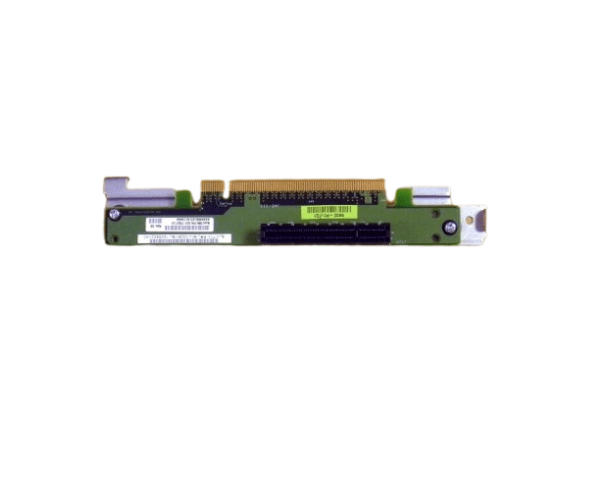
Introduction of Cisco UCSC-RIS-1-240M5 Riser 1 3PCIe slots x8, x16, x8
The Cisco UCSC-RIS-1-240M5 Riser 1 3PCIe slots x8 x16 is a versatile expansion solution tailored for the Cisco UCS C240-M5 server. This riser card provides three PCIe slots in x8, x16, and x8 configurations, delivering substantial flexibility for enhancing your server’s capabilities. By installing the Cisco UCSC-RIS-1-240M5 Riser 1, you can seamlessly add additional hardware components like network cards, storage controllers, or graphics cards. Consequently, this expansion optimizes your server’s performance and scalability, ensuring it adapts to evolving business needs and continues to meet demanding requirements.
Why Choose Cisco UCSC-RIS-1-240M5 Riser 1?
Choosing the Cisco UCSC-RIS-1-240M5 Riser 1 delivers a significant upgrade to your Cisco UCS C240-M5 server. This riser card provides three PCIe slots (x8, x16, x8), offering versatile options for expanding your hardware capabilities. You can easily add network interfaces, storage controllers, or high-performance GPUs. The Cisco UCSC-RIS-1-240M5 integrates seamlessly, ensuring you maintain high performance and reliability. Consequently, it aligns perfectly with Cisco's renowned standards for quality and innovation.
User Experience
Users of the Cisco UCSC-RIS-1-240M5 Riser 1 value its easy installation and performance boost. The process is straightforward with minimal steps to add the riser card to the UCS C240-M5 server. After installation, the extra PCIe slots enhance server flexibility, making upgrades simple. Additionally, the riser card integrates seamlessly with existing hardware. Consequently, IT professionals appreciate this product for improving server capabilities while ensuring system stability.
Key Features
- Enhanced Expansion: Provides three PCIe slots (x8, x16, x8) for flexible hardware upgrades.
- High Compatibility: Designed specifically for Cisco UCS C240-M5 servers for seamless integration.
- Improved Performance: Supports additional network and storage components to boost server capabilities.
- Efficient Design: Compact form factor simplifies installation and integration.
- Scalable Solution: Ideal for growing IT environments needing increased server flexibility.
Installation Steps
- Power Down the Server: First, ensure the server is completely powered off and disconnected from all power sources.
- Open the Server Case: Next, remove the server case or access panel to reach the motherboard and PCIe slots.
- Locate the PCIe Slot: Identify the appropriate PCIe slot on the motherboard where you will install the Cisco UCSC-RIS-1-240M5 Riser 1.
- Insert the Riser Card: Align the Cisco UCSC-RIS-1-240M5 Riser 1 with the PCIe slot and gently insert it until it is securely seated.
- Connect Components: Attach any additional PCIe devices to the new slots provided by the riser card.
- Close the Server Case: Reattach the server case or access panel, ensuring it is securely fastened.
- Power On the Server: Finally, reconnect the server to the power source and turn it on. The system should automatically detect the new riser card and any connected components.
Where it Can Be Used?
The
Cisco UCSC-RIS-1-240M5 Riser 1 is perfect for enterprise data centers, corporate networks, and high-performance computing environments that use Cisco UCS C240-M5 servers. It excels in settings that need extra PCIe slots for expanded storage, enhanced network connectivity, or other high-performance components. Specifically, this riser card proves invaluable in telecommunications facilities, financial institutions, healthcare centers, and educational institutions. In these environments, the need for flexibility and top-notch performance is critical. Consequently, by providing additional PCIe slots, the riser card ensures that your server adapts to evolving demands while maintaining optimal performance.