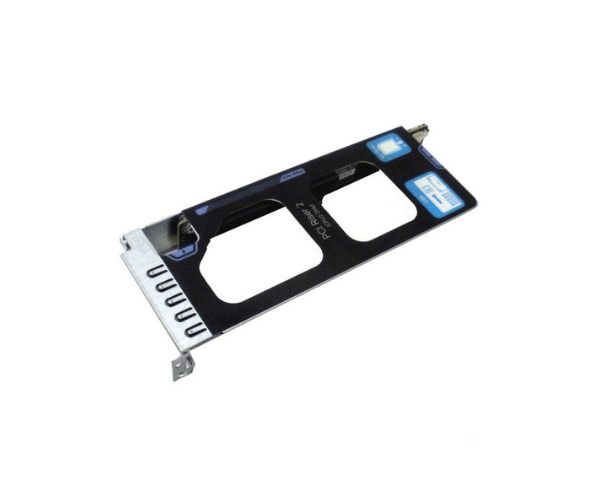
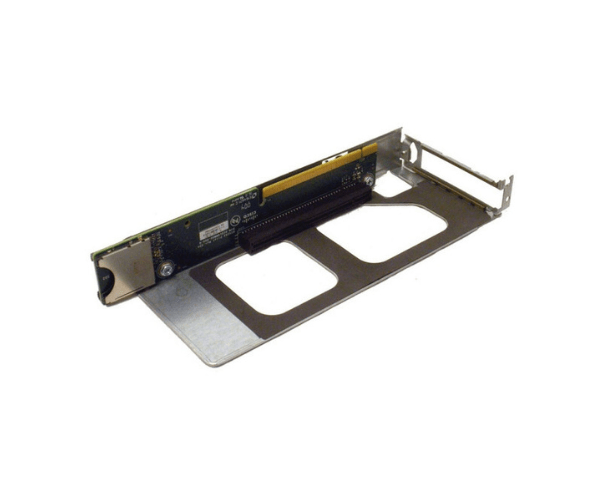
Introduction of CISCO 74-10152-01 PCI-E Riser Card w/Bracket
The CISCO 74-10152-01 PCI-E Riser Card w/Bracket is designed to enhance your server's capabilities by providing additional PCIe expansion slots. This riser card is essential for data centers, enterprise servers, and high-performance computing environments that require increased functionality and flexibility. With its robust design and easy installation, the CISCO 74-10152-01 PCI-E Riser Card ensures that your server can handle additional network cards, storage controllers, or GPUs effortlessly.
Why Choose the CISCO 74-10152-01 PCI-E Riser Card w/Bracket?
Choosing the CISCO PCI-E Riser Card w/Bracket means significantly enhancing your server's expandability and performance. This riser card supports multiple PCIe slots, allowing for the addition of various expansion cards. Whether you need extra network cards, storage controllers, or GPUs, the CISCO 74-10152-01 PCI-E Riser Card provides the necessary flexibility and scalability. Furthermore, Cisco's reputation for reliability and innovation ensures you receive a high-quality product that meets your server expansion needs. Consequently, investing in this riser card guarantees improved server capabilities and overall performance. Thus, this riser card is an excellent choice for anyone looking to maximize their server's potential.
User Experience
Users of the CISCO Riser Card w/Bracket have reported significant improvements in their server's expandability and overall performance. By adding multiple PCIe cards, they have customized their servers to meet specific requirements. As a result, users have experienced enhanced network capabilities, improved storage options, and boosted graphical performance. Additionally, the straightforward plug-in installation process allows IT professionals to quickly integrate this riser card into existing server setups, making it a preferred choice among users.
Key Features
- Multiple PCIe Slots: Supports varied PCIe slot configurations for versatile expansion options.
- Compact Design: Efficient use of space within the server chassis.
- Easy Installation: Plug-in design for hassle-free integration.
- Enhanced Flexibility: Supports a wide range of expansion cards, including network cards, storage controllers, and GPUs.
- Bracket Included: Comes with a bracket for additional stability and support.
- Cisco Quality: Built by Cisco, ensuring high performance and reliability.
Installation Steps
- Power Down the Server: Ensure the server is completely powered off and disconnected from any power sources.
- Open the Server Chassis: Remove the chassis cover to access the internal components.
- Locate the Riser Slot: Identify the riser slot where the CISCO 74-10152-01 will be installed.
- Insert the Riser Card: Align the CISCO Riser Card w/Bracket with the slot and gently insert it, ensuring it is securely seated.
- Secure the Riser Card: Use screws or clips to secure the riser card in place, if applicable.
- Attach the Bracket: Install the included bracket for additional stability and support.
- Close the Chassis: Reassemble the server chassis, ensuring all covers and panels are securely in place.
- Reconnect Power: Reconnect the server to its power source and power it on.
- Verify Installation: Check the server's BIOS or operating system to ensure the riser card and any installed expansion cards are recognized and functioning correctly.
Where It Can Be Used?
The
Cisco Riser Card w/Bracket is ideal for use in data centers, enterprise servers, cloud computing environments, and high-performance computing applications. In data centers, it enhances server capabilities by allowing the addition of multiple expansion cards. For enterprise servers, it supports business applications that require additional network or storage options. Cloud computing environments benefit from its flexibility, making it easier to scale services. High-performance computing applications, such as scientific research and data analysis, leverage the increased expandability and performance provided by this riser card.