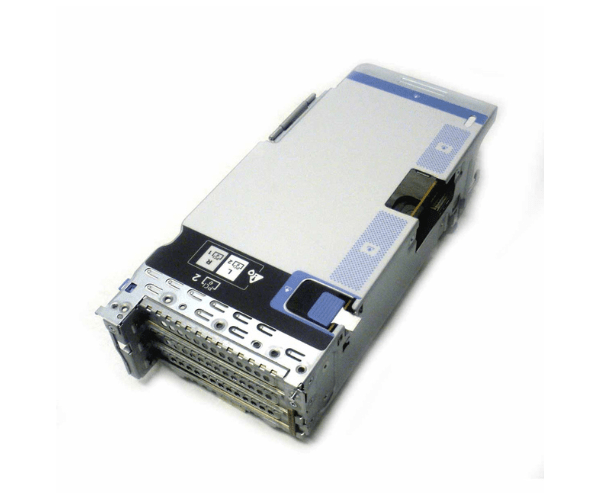
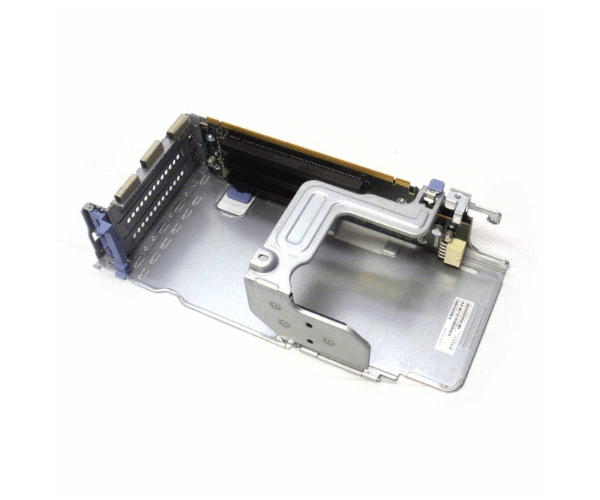
Introduction of Cisco UCSC-PCI-2B-C240M5 UCSC Riser 2B 3-PCIe 1-NVMe
The Cisco UCSC-PCI-2B-C240M5 UCSC Riser 2B 3-PCIe 1-NVMe is an advanced expansion card engineered to boost the capabilities of your Cisco UCS C240-M5 server. This riser card increases flexibility by adding three PCIe slots and one NVMe slot, allowing you to expand your server's functionality in response to growing demands. Incorporating the Cisco UCSC-PCI-2B-C240M5 enables you to effortlessly add extra network interfaces, storage controllers, or NVMe drives. Consequently, your server remains highly scalable and adaptable, ensuring it can handle evolving workloads efficiently and effectively.
Why Choose Cisco UCSC-PCI-2B-C240M5 UCSC Riser 2B 3-PCIe 1-NVMe?
Opting for the Cisco Riser 2B 3-PCIe 1-NVMe significantly enhances your server's expansion potential. This riser card adds three additional PCIe slots and one NVMe slot, allowing you to integrate extra storage drives, network adapters, or high-performance NVMe SSDs. The Cisco UCSC-PCI-2B-C240M5 seamlessly integrates with the UCS C240-M5, ensuring that your server maintains top performance and reliability. As IT environments evolve, this riser card adapts to meet new demands, making it a valuable and versatile addition to your server setup.
User Experience
Users frequently highlight the ease of installation and effective performance of the Cisco Riser 2B. The installation process is straightforward and requires minimal steps, allowing users to quickly add extra PCIe and NVMe slots to their UCS C240-M5 servers. After installation, the riser card significantly boosts server flexibility by providing additional slots for expansion. This integration ensures that the server operates smoothly while accommodating new hardware components. Consequently, IT professionals value the Cisco UCSC-PCI-2B-C240M5 for optimizing server performance and scalability.
Key Features
- Enhanced Expansion: Adds three PCIe slots and one NVMe slot for easy hardware upgrades.
- High Compatibility: Fits perfectly with Cisco UCS C240-M5 servers, ensuring seamless integration.
- Improved Performance: Supports additional network and storage options, boosting server capabilities.
- Efficient Design: Features a compact form factor for simple and efficient installation.
- Scalable Solution: Ideal for growing IT environments needing increased server flexibility and adaptability.
Installation Step
- Power Down the Server: Make sure the server is completely turned off and unplugged from all power sources.
- Open the Server Case: Remove the case or access panel to reach the motherboard and PCIe slots.
- Locate the PCIe Slot: Find the correct PCIe slot on the motherboard for the Cisco UCSC-PCI-2B-C240M5.
- Insert the Riser Card: Align the Cisco UCSC-PCI-2B-C240M5 with the PCIe slot. Gently insert it until it is securely in place.
- Connect Components: Attach any PCIe or NVMe devices to the new slots on the riser card.
- Close the Server Case: Put the case or access panel back on and secure it.
- Power On the Server: Reconnect the power and turn on the server. The system should detect the new riser card and connected components automatically.
Where It Can Be Used?
The
Cisco Riser 2B is ideal for enterprise data centers, corporate networks, and high-performance computing environments that use Cisco UCS C240-M5 servers. It proves especially valuable in settings needing additional PCIe and NVMe slots for expanded storage, improved network connectivity, or other high-performance components. This riser card fits well in telecommunications facilities, financial institutions, healthcare centers, and educational institutions, where scalability and performance are crucial. By enhancing server capabilities, it ensures that your infrastructure can meet growing demands and maintain high operational efficiency.