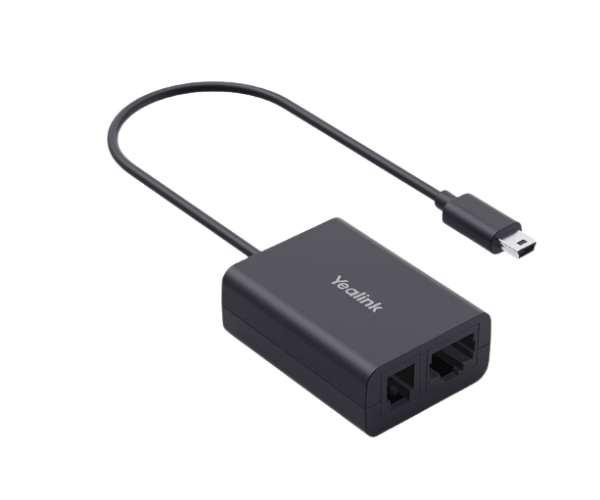
The
Yealink EHS62 Wireless Headset Adapter is a premium device that connects Yealink IP phones with compatible wireless headsets. It offers remote call control, high-definition audio, and effortless installation, providing an efficient communication solution for professionals.
Specifications
| Feature |
Details |
| Brand |
Yealink |
| Model |
EHS62 |
| Compatibility |
Yealink IP Phones and major wireless headset brands |
| Interface |
RJ-9 and RJ-45 ports |
| Power Supply |
Powered via connected devices |
| Cable Length |
Standard length for convenient installation |
| Audio Quality |
High-definition sound for clear conversations |
| Plug-and-Play Setup |
Yes, no configuration needed |
| Dimensions |
Compact and lightweight design |
| Call Control Features |
Remote answering, muting, and hanging up |
Description
Yealink EHS62 Wireless Headset Adapter in BD
The
Yealink EHS-62 Wireless Headset Adapter simplifies the connection between Yealink IP phones and wireless headsets. It supports remote call management and delivers exceptional sound clarity, making it a valuable tool for professionals seeking greater efficiency and flexibility in their communication setup.
User Experience
The
Yealink EHS62 Wireless Adapter enhances productivity by allowing users to manage calls remotely, freeing them from their desks while staying connected. Its simple plug-and-play installation ensures a quick setup, while its compatibility with popular wireless headsets guarantees ease of use. With high-definition audio support, every conversation is clear and professional. Designed for convenience, this adapter transforms how professionals communicate, ensuring flexibility and reliability in every call.
Why Choose the Yealink EHS62 Wireless Adapter?
- Seamless integration with Yealink IP phones and leading wireless headset brands.
- Remote call control for enhanced convenience and mobility.
- High-definition audio for clear and effective communication.
- Quick and easy plug-and-play installation.
- Durable design for consistent performance and long-term use.
Installation Steps
- Unbox the Yealink EHS-62 Wireless Headset Adapter and check all components.
- Connect one end of the adapter to the RJ-9 or RJ-45 port on your Yealink IP phone.
- Attach the other end to the wireless headset base station.
- Power on the phone and headset to establish the connection.
- Test the functionality by making or receiving a call.
- Adjust device settings as needed for optimal performance.
What is the Price of the Yealink EHS62 Wireless Headset Adapter in Bangladesh?
EHS Cable for
IP Phone Set prices in Bangladesh vary by features and models.
Crystal Vision Solutions offers high-quality options like the
Yealink EHS62 Wireless Headset Adapter at the latest price, ensuring top performance, reliability, competitive pricing, and professional service to meet diverse business needs efficiently.