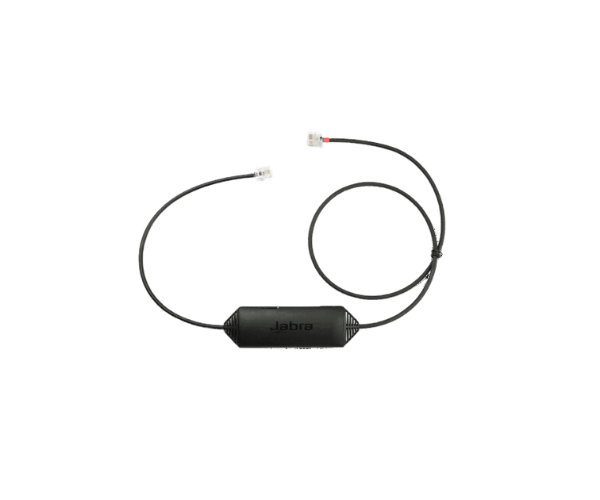
The
Jabra LINK 14201-43 EHS Cable for Cisco connects Jabra headsets with Cisco desk phones, providing seamless remote call control. Users can manage calls directly from their headset without the need to touch the phone, improving efficiency and productivity in the workplace.
Specification
| Feature |
Description |
| Brand |
Jabra |
| Model |
14201-43 |
| Compatibility |
Cisco Desk Phones |
| Type |
EHS Cable |
| Connector |
RJ9 (for phone), Quick Disconnect (for headset) |
| Call Control |
Yes, for remote answering, ending calls |
| Cable Length |
0.9 meters (approx.) |
| Warranty |
Not applicable |
| Color |
Black |
| Material |
Durable, high-quality PVC |
Description
Jabra LINK 1420143 EHS Cable for Cisco in BD
The
Jabra LINK 1420143 EHS Cable for Cisco is designed to connect Jabra headsets with Cisco desk phones. It provides remote call control, allowing users to answer, end, and manage calls directly from the headset, promoting a more efficient and productive communication environment.
User Experience
Using the
Jabra LINK 14201-43 EHS Cable enhances the overall user experience by enabling hands-free communication. Users can easily answer, end, and mute calls from their Jabra headset without the need to interact with the Cisco desk phone, improving workflow and reducing interruptions. The cable is quick and easy to install, with plug-and-play compatibility that ensures immediate functionality. Its durable construction ensures long-lasting performance, while the high-quality audio enhances clarity during calls. The compact design keeps the workspace tidy and organized, making it a reliable addition to any professional environment.
Why Choose the Jabra LINK 14201-43 EHS Cable?
The
Jabra LINK 14201-43 EHS Cable for Cisco is the ideal solution for those looking to integrate Jabra headsets with Cisco desk phones. It offers the convenience of remote call control, enabling users to manage calls without touching the phone, which boosts productivity and streamlines communication. The cable provides high-quality audio for clear conversations, ensuring effective communication. With a simple installation process and compatibility with a range of Jabra headsets, the
Jabra LINK 14201-43 offers a flexible and reliable solution for modern office environments.
Installation Step
Installing the
Jabra LINK 14201-43 EHS Cable is easy and straightforward:
- Connect the RJ9 End: Insert the RJ9 connector into the headset port on the Cisco desk phone.
- Attach the Quick Disconnect End: Connect the quick disconnect end to your Jabra headset.
- Check Compatibility: Ensure your headset supports EHS functionality.
- Power On and Test: Turn on both the phone and headset, then test the remote call control features, such as answering and ending calls.
- Adjust Settings: If necessary, adjust the settings on the Cisco phone to enable EHS functionality for remote call control.
What is the Price of the Jabra LINK 14201-43 EHS Cable for Cisco in Bangladesh?
Jabra Cable for Set prices in Bangladesh vary by features and models.
Crystal Vision Solutions offers high-quality options like the
Jabra LINK 14201-43 EHS Cable for Cisco at the latest price, ensuring top performance, reliability, competitive pricing, and professional service to meet diverse business needs efficiently.