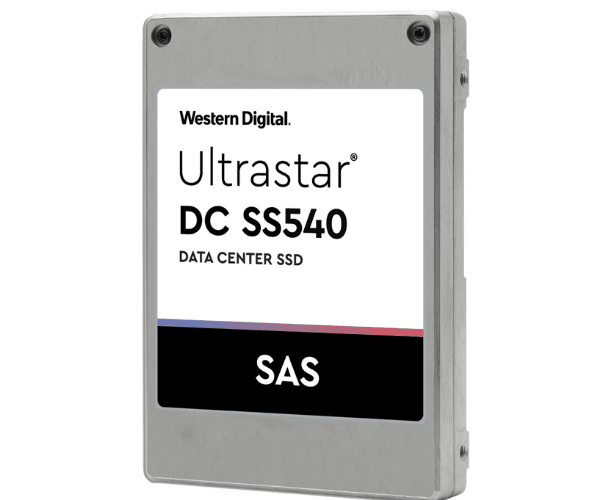
About The WD WUSTR6480BSS200 800GB Ultrastar DC SS540 Server SSD
The WD WUSTR6480BSS200 800GB Ultrastar DC SS540 Server SSD is an enterprise-grade, high-performance solid-state drive designed for business-critical workloads. With improved endurance, low latency, and excellent data performance, it delivers efficient and consistent performance 24/7 in demanding server environments.
WD WUSTR6480BSS200 800GB Ultrastar DC SS540 Server SSD in BD
The WD 800GB Ultrastar DC SS540 Server SSD is available in various tech stores and online shopping platforms in Bangladesh. Due to its reliability and performance, it is the most sought-after option of local data centers, banks, and IT professionals for their server and enterprise systems.
User Experience of WD WUSTR6480BSS200 Ultrastar DC SS540 Server SSD
Buyers praise the WD WUSTR6480BSS200 800GB Ultrastar DC SS540 SSD for its fast speed, reliable performance during stress, and power savings. IT managers value its ability to handle large amounts of data without lag, which makes it perfect for demanding enterprise applications.
Why Choose WD WUSTR6480BSS200 800GB Ultrastar DC SS540 Server SSD?
WD WUSTR6480BSS200 800GB Ultrastar SS540 Server SSD offers enterprise-level performance, and it is ideal for businesses that require stability and speed. This SSD offers high endurance, strong read/write speeds, and enhanced reliability features, which enable it to handle non-stop data workloads and reduce latency in mission-critical applications.
Key Features
- 800GB capacity for enterprise workload
- High-speed 12Gb/s SAS interface
- Up to 2100 MB/s read speed
- Up to 1320 MB/s write speed
- Up to 470,000 IOPS for fast access
- 3 DWPD endurance rating
- Extended MTBF for long use
- Enhanced power-loss protection
- eMLC NAND technology for reliable performance
How to Maintain WD WUSTR6480BSS200 800GB Ultrastar DC SS540 Server SSD?
To maintain the WD WUSTR6480BSS200 800GB Ultrastar DC Server SSD in good condition:
- Mount it in a well-cooled, dust-free environment.
- Use SSD monitoring software to check health status.
- Update regularly with Western Digital tools.
- Prevent constant power fluctuations with the aid of a UPS.
- Do not overload the drive beyond its endurance limit.
Installation Procedure
- Shut off your server or system.
- Remove the cover of the chassis and find a 2.5-inch SAS-supporting bay.
- Place the Western Digital WUSTR6480BSS200 Ultrastar DC SS540 Server SSD into the bay.
- Attach SAS data and power cables safely.
- Switch on the system.
- Discover and set up the drive through the OS or RAID controller.
- Format the SSD to get the process going.
Where It Can Be Used?
- Enterprise servers.
- Data centers.
- Financial systems.
- Cloud storage platforms.
- Government and corporate networks.
- Medical data systems.
- High-performance computing.
- Backup and disaster recovery setups.