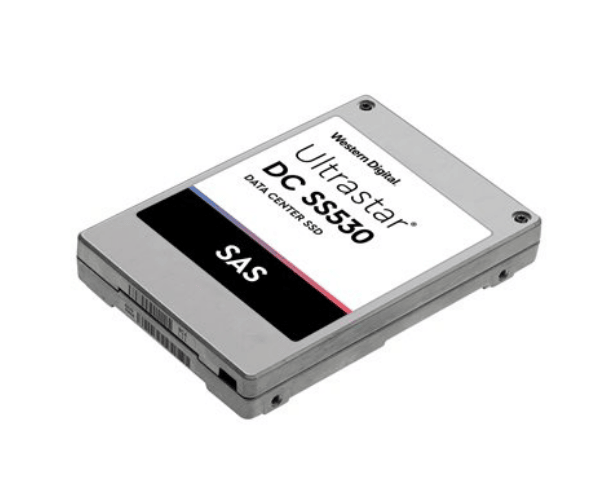
About WD WUSTR1515ASS200 15.3TB Ultrastar DC SS530 Server SSD
The Western Digital WUSTR1515ASS200 15.3TB Ultrastar DC SS530 Server SSD is an enterprise-level SSD for performance, capacity, and reliability. It boasts a huge 15.3TB capacity, high-performance SAS 12Gb/s interface, and 3D eTLC NAND technology, delivering high workloads for servers, cloud storage, and data-intensive applications.
WD WUSTR1515ASS200 15.3TB Ultrastar DC SS530 Server SSD in BD
The WD WUSTR1515ASS200 15.3TB DC SS530 Server SSD is available in Bangladesh from well-known tech suppliers and business hardware vendors. This high-performance and high-capacity storage is a wise option for organizations that need dependable data storage at server rooms or data centers in BD.
User Experience of WD WUSTR1515ASS200 15.3TB Ultrastar DC SS530 Server SSD
Customers praise the WD WUSTR1515ASS200 15.3TB Ultrastar DC SS530 Server SSD for being quiet, fast, and with the ability to sustain heavy loads. In both configurations in a cloud environment or local servers, it operates without latency and with low power usage. It is not complicated to install, and the performance remains stable under load.
Why Choose WD WUSTR1515ASS200 15.3TB Ultrastar SS530 Server SSD?
Choose the WD WUSTR1515ASS200 15.3TB DC Server SSD for reliable enterprise storage with enormous capacity and performance. Its 15.3TB capacity reduces the need for multiple drives, and its SAS 12Gb/s interface offers fast access to data. This device is very compatible with long-term deployment in rigorous environments.
Key Features
- Enormous 15.3TB capacity storage.
- Enterprise-class 3D eTLC NAND for endurance.
- SAS 12Gb/s interface ensures fast and reliable data transfer.
- High IOPS for random read/write performance.
- Low power consumption with energy efficiency.
- 2.5 million hours MTBF for long life.
- 1 Drive Write Per Day (DWPD) endurance.
- Hot-swap for easy replacement or upgrade.
- Low read/write latency for fast server response.
- 24/7 enterprise workload designed.
How to Maintain WD WUSTR1515ASS200 Ultrastar DC SS530 Server SSD
- Update firmware for best performance and stability.
- Track drive health and utilization using drive monitoring tools.
- Keep your server environment at a cool temperature and with adequate airflow.
- Perform regular backups for simple data protection.
- Avoid power loss with a UPS system.
Installation Steps
- Power down your server system.
- Open the case and locate a 2.5-inch SAS bay.
- Install and mount the WD WUSTR1515ASS200 SSD.
- Connect the SAS cable and power connectors.
- Close the case and power on the server.
- Proceed to BIOS or RAID controller to configure the drive.
- Format and partition the SSD for utilization in storage or applications.
Where It Can Be Used?
- Data centers and cloud hosting.
- Virtual server environments.
- Database servers and enterprise applications.
- Healthcare systems with high data processing.
- Financial institutions for enabling quicker data logging.
- E-commerce websites with extensive transactions.
- AI, ML, and data analytics environments.