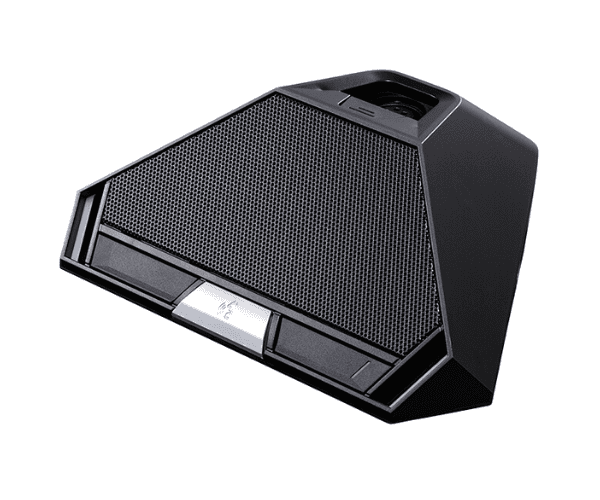
About of Toa TS-822 Delegate
The
Toa TS-822 Delegate Unit is a high-quality microphone for conference systems, featuring clear audio, adjustable volume, and easy integration with other devices. It’s perfect for any professional conference setup, providing reliable performance and user-friendly controls.
Specification
| Feature |
Details |
| Microphone Type |
Condenser Microphone |
| Frequency Response |
100 Hz to 15 kHz |
| Input Impedance |
1.2kΩ |
| Power Supply |
12V DC |
| Power Consumption |
2.4W |
| Output |
Balanced XLR |
| Dimensions |
184 x 80 x 56 mm |
| Weight |
280g |
| Mounting Type |
Desk Stand |
| Color |
Black |
Description
Toa TS-822 Delegate Unit in BD
The
Toa TS-822 is designed to enhance conference communication with its exceptional sound quality and versatile functionality. Ideal for meeting rooms, it provides participants with a microphone, speaker, and voting options in a compact, user-friendly unit.
User Experience
With the
Toa TS-822 Delegate Unit, conference participants can expect superior audio clarity and control. The adjustable microphone ensures that all voices are captured clearly, and the intuitive interface makes it simple to operate. This unit provides a comfortable, efficient solution for all conference settings, whether small meetings or large seminars. Its sleek design and easy-to-use controls enhance the overall user experience, ensuring that each session runs smoothly.
Why Choose the Toa TS-822 Delegate?
- Clear Sound Quality: The condenser microphone offers crisp, clear audio for better communication.
- Compact Design: The sleek and professional design fits into any conference setting.
- Adjustable Controls: Easily control volume and microphone positioning for optimal sound.
- Easy Integration: Works seamlessly with other TOA conference system equipment.
- Durable and Reliable: Built for consistent, long-lasting performance in various environments.
Installation Steps
- Unbox the Toa TS-822 Delegate and place it on a flat, stable surface.
- Connect the unit to the conference system using the XLR cable provided.
- Plug the power supply into a suitable power outlet.
- Adjust the microphone height and angle for optimal use.
- Test the microphone and adjust the volume settings to desired levels.
- Connect additional delegate units as needed.
- Ensure all participants have clear audio and the unit operates correctly.