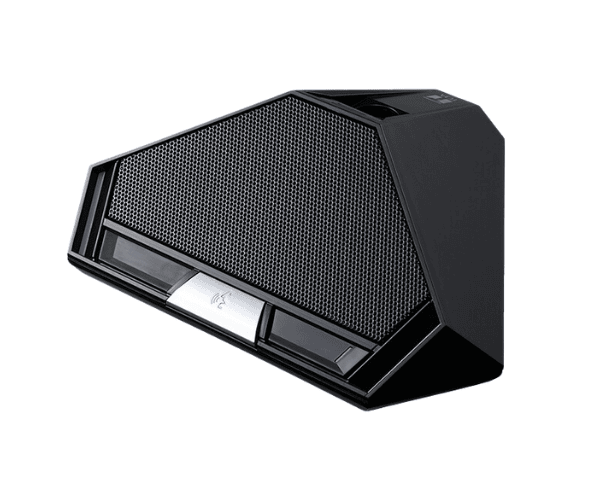
About of Toa TS-D1000DU Delegate Unit
The
Toa TS-D1000-DU Delegate Unit is a cutting-edge conferencing solution, designed for seamless communication and decision-making. It features advanced audio clarity, user-friendly operation, and compatibility with modern conference systems, making it ideal for meetings and discussions.
Specification
| Feature |
Details |
| Brand |
Toa |
| Model |
TS-D1000-DU |
| Microphone Type |
Detachable gooseneck microphone |
| Audio Quality |
High-definition audio clarity |
| Connectivity |
Wired |
| Controls |
Priority speech and volume adjustment |
| Power Source |
Supplied through a central control unit |
| Display |
LED indicators for system status |
| Material |
Durable ABS plastic |
| Usage |
Ideal for conferences and meetings |
Description
Toa TS-D1000-DU Delegate Unit in BD
The
Toa TS-D1000DU Delegate Unit is engineered to enhance communication in professional environments. Its sleek design and superior audio quality ensure efficient discussions, while its intuitive controls allow users to focus on what matters—effective collaboration and decision-making.
User Experience
Users find the
Toa Delegate Unit highly reliable for conferences and discussions. Its ergonomic design and crisp audio enhance communication clarity. The unit’s priority speech function ensures orderly communication, while the LED indicators provide clear system feedback. Whether in boardrooms or large conferences, the
Toa TS-D1000-DU Delegate offers convenience, professionalism, and efficiency.
Why Choose the Toa TS-D1000DU Delegate Unit?
- Superior Audio Quality: Crystal-clear sound ensures effective communication.
- User-Friendly Design: Simple controls for seamless operation.
- Reliable Performance: Built for consistent and professional use.
- Versatile Application: Ideal for corporate, educational, and governmental meetings.
- Durable Build: Long-lasting construction ensures minimal maintenance.
Installation Steps
- Connect the Toa TS-D1000-DU to the main conference system.
- Attach the gooseneck microphone securely.
- Power the unit through the central control panel.
- Adjust volume and test audio clarity.
- Verify LED indicators for proper system operation.
- Begin using for your conference or meeting.