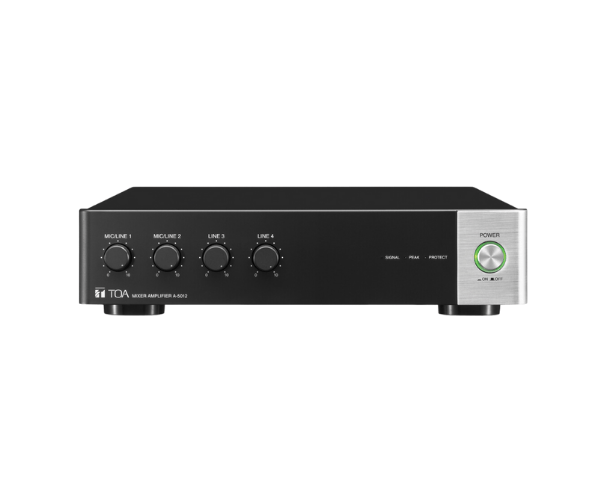
About of Toa A-5006 Digital Mixer Amplifier
The
Toa A-5006 Digital Mixer Amplifier is a compact and efficient audio solution, offering 60W power output with versatile input options. Ideal for small venues, schools, and offices, it delivers clear and balanced sound performance.
A-5006 Digital Mixer Amplifier in BD
The
Toa A5006 Digital Mixer Amplifier is designed for professional-grade sound reinforcement. With 6 input channels and 60W of power, it provides reliable audio clarity for small to medium-sized spaces. Its sleek design and user-friendly controls make it an excellent choice for seamless audio management.
User Experience
The
Toa A-5006 Digital Amplifier is highly appreciated for its consistent sound quality and versatility. Users enjoy its intuitive interface, allowing easy adjustments of tone and volume. The compact size makes it convenient to install in various settings, such as classrooms, conference rooms, and retail spaces. Its robust design ensures durability, while the wide frequency response guarantees clear audio output for speech, music, or announcements. Whether used by professionals or first-time users, the amplifier delivers exceptional performance with minimal effort.
Why Choose the Toa A-5006 Digital Mixer Amplifier?
- High-Quality Sound: Provides crystal-clear audio for music, announcements, and presentations.
- Versatile Inputs: Supports multiple microphones and audio sources for diverse applications.
- Compact Design: Saves space without compromising on power and performance.
- User-Friendly Controls: Allows quick and precise tone and volume adjustments.
- Durable Build: Built to withstand regular use in commercial and educational settings.
Installation Steps
- Place the Toa A5006 Digital Mixer Amplifier on a stable surface or rack mount it securely.
- Connect microphones and other audio sources to the input channels using the appropriate cables.
- Connect the amplifier to your speaker system using balanced or unbalanced outputs.
- Plug the amplifier into a power source and turn it on.
- Adjust input levels, tone controls, and master volume to optimize sound performance.