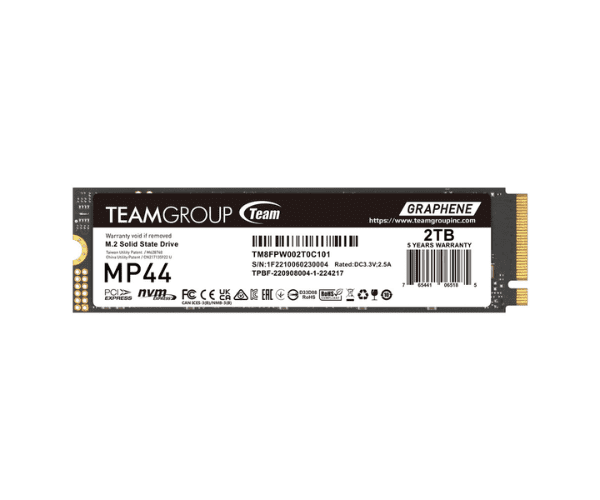
About the TEAMGROUP NVMe TM8FPW002T0C101 2TB NAS MP44 AS-71
The TEAMGROUP NVMe TM8FPW002T0C101 2TB NAS MP44 AS-71 offers high-capacity storage and fast performance, ideal for demanding NAS environments.
Specification
| Feature |
Description |
| Capacity |
2TB |
| Type |
NVMe M.2 SSD |
| Model Number |
TM8FPW002T0C101 |
| Interface |
PCIe Gen3 x4 |
| Sequential Read Speed |
Up to 3,500 MB/s |
| Sequential Write Speed |
Up to 3,000 MB/s |
| Form Factor |
M.2 2280 |
| Endurance |
450 TBW |
Description
The TEAMGROUP NVMe TM8FPW002T0C101 2TB NAS MP44 AS-71 SSD is engineered for high performance and reliability in NAS systems. Featuring a 2TB capacity, this SSD provides substantial space for data storage and applications. It delivers impressive speeds with up to 3,500 MB/s read and 3,000 MB/s write, ensuring quick data access and transfer. The M.2 2280 form factor ensures compatibility with modern NAS devices. With an endurance of 450 TBW, it supports sustained heavy workloads, making it a durable choice for any NAS setup.
User Experience
Users appreciate the TEAMGROUP TM8FPW002T0C101 2TB NAS MP44 AS-71 for its remarkable speed and reliability. It significantly enhances NAS system performance, handling large files and high workloads efficiently.
Installation Steps
- Power Down the NAS: Turn off the NAS and disconnect it from the power source.
- Open the NAS Enclosure: Remove the cover or panel to access the M.2 slot.
- Locate the M.2 Slot: Identify the available M.2 2280 slot in the NAS.
- Install the SSD: Insert the TEAMGROUP TM8FPW002T0C101 SSD into the slot and secure it with a screw.
- Close the Enclosure: Reattach the cover or panel and reconnect the power.