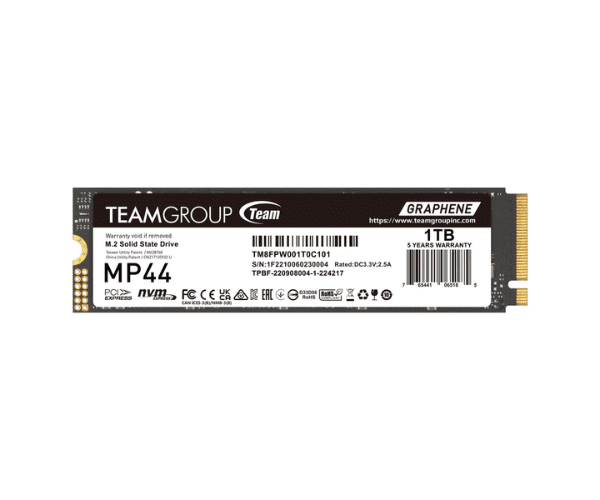
About the TEAMGROUP NVMe TM8FPW001T0C101 1TB NAS MP44 AS-71
The TEAMGROUP NVMe TM8FPW001T0C101 1TB NAS MP44 AS-71 offers high-speed performance and reliability for NAS systems, delivering impressive storage and quick access to your data.
Specification
| Feature |
Description |
| Capacity |
1TB |
| Type |
NVMe M.2 SSD |
| Model Number |
TM8FPW001T0C101 |
| Interface |
PCIe Gen3 x4 |
| Sequential Read Speed |
Up to 3,400 MB/s |
| Sequential Write Speed |
Up to 3,000 MB/s |
| Form Factor |
M.2 2280 |
| Endurance |
500 TBW |
Description
The TEAMGROUP NVMe TM8FPW001T0C101 1TB NAS MP44 AS-71 M.2 SSD is engineered to elevate the performance of your NAS system. With a 1TB storage capacity, it is perfect for handling everyday tasks and larger files efficiently. The SSD boasts sequential read speeds of up to 3,400 MB/s and write speeds of up to 3,000 MB/s, ensuring swift data transfer and system responsiveness. Its M.2 2280 form factor ensures compatibility with a variety of NAS devices. With an endurance rating of 500 TBW, this SSD is built to endure high workloads and intensive use.
User Experience
The TEAMGROUP TM8FPW001T0C101 1TB NAS MP44 AS-71 is praised for its exceptional speed and reliability. Users experience faster data access and improved NAS performance, making it a popular choice for upgrading storage solutions.
Installation Steps
- Power Down the NAS: Ensure the NAS is turned off and disconnected from the power source.
- Open the NAS Enclosure: Remove the cover or panel to access the internal components.
- Locate the M.2 Slot: Find the available M.2 2280 slot.
- Install the SSD: Insert the TEAMGROUP TM8FPW001T0C101 SSD into the slot and secure it with a screw.
- Close the Enclosure: Reattach the cover or panel and reconnect the power.