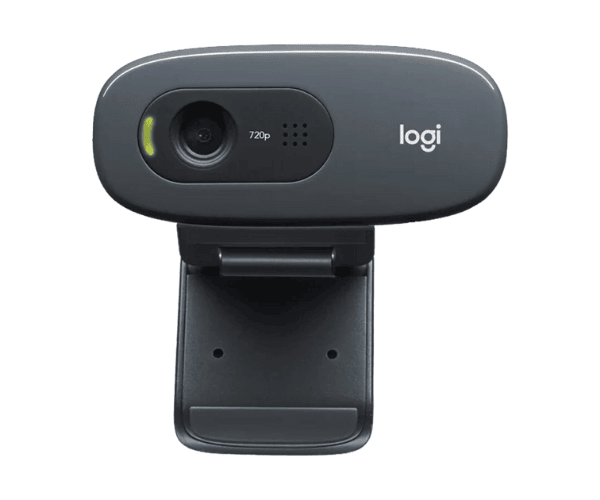
About of Logitech C270 Webcam
The Logitech C270 Webcam offers clear 720p HD video and crisp audio, perfect for online meetings and video calls. With automatic light correction and a built-in microphone, it delivers a great video experience at an affordable price.
Specification
| Feature |
Details |
| Brand |
Logitech |
| Model |
Logitech C270 |
| Item Category |
Webcam |
| Sensor Resolution (MP) |
3MP |
| Video Resolution |
1280 x 720 pixels |
| Image Resolution |
1280 x 720 pixels |
| Interface(s) |
USB |
| USB Type |
USB 2.0 |
| Microphone |
Yes |
| Noise-Cancelling Mic |
Yes |
| Cable Length (Meter) |
1.5 Meter |
| Plug & Play Operation |
Yes |
| Body Material |
PC/ABS |
| Color |
Black |
| Dimensions (WxHxD) |
32 x 73 x 67 mm |
| Weight (gm) |
75 gm |
Description
Logitech C270 Webcam in BD
The Logitech C270 Webcam is an inexpensive yet effective buy when it comes to making possible video calls, online meetings and virtual classes. 720p HD resolution built-in noise-reducing microphone, and automatic light correction ensure sharp and smooth experiences in your video.
User Experience
In fact, users have liked the Logitech C270 Web Cam for its simple setup and clearly demonstrated video quality. The 720p HD resolution picture is razor sharp, whereas the noise-reducing microphone ensures your voice is natural. Automatic light correction settings adopt your environment and allow you to get a clear picture in dim lighting. Sleekly designed in dimensions, this unit shall work seamlessly with common video conferencing applications, such as Zoom and Microsoft Teams. Thus, the Logitech C270 Web Cam proves to be a proper value buy for its features with daily use.
Why Choose The Logitech C270 Webcam?
- Affordable: 720p HD video with image quality clear and sharp
- Built-in natural audio produced by noiseless microphones
- Automatic light correction incorporated for better image quality in every kind of lighting
- No software needed; easy plug-and-play USB connectivity
- Compatible with Zoom, Skype and Microsoft Teams
Installation Instructions
- Take the Logitech C270 Web Cam out of the box and remove all the packing materials.
- Connect the webcam to your computer's USB 2.0 port.
- Wait for the automatic detection and installation of the webcam by your computer.
- Open your favorite video conferencing tool (Zoom, Skype, etc.).
- Select Logitech Webcam as your camera and microphone source.
- Adjust the camera angle for better viewing.
- With the Logitech C270, enjoy your high-quality video calls.
What is the Price of the Logitech C270 Webcam in Bangladesh?
The latest price of
Logitech C270 Webcam in Bangladesh depends on quantity.
Crystal Vision Solutions ensure This product has the best market price in Bangladesh. Our product is 100% original and lowest price in Bangladesh. All kinds of services are the best in Bangladesh, and contact us for any information and latest price.