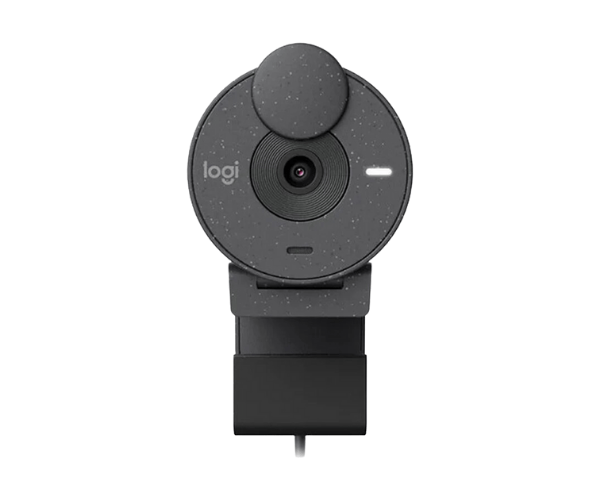
About of Logitech BRIO 300 FHD Graphite Web Cam
The Logitech BRIO 300 FHD Graphite Webcam offers clear, high-definition video for video calls and streaming. With Full HD 1080p resolution and automatic light correction, it delivers sharp and bright video, making it perfect for work and virtual meetings.
Specification
| Feature |
Details |
| Brand |
Logitech |
| Model |
Logitech BRIO 300 |
| Item Category |
Webcam |
| Sensors |
CMOS |
| Sensor Resolution (MP) |
2MP |
| Video Resolution |
1920 x 1080, 1280 x 720 |
| Interface(s) |
USB |
| USB Type |
USB Type-C |
| Microphone |
Yes |
| Noise-Cancelling Mic |
Yes |
| Cable Length (Meter) |
1.5 Meter |
| Plug & Play Operation |
Yes |
| Body Material |
Plastic |
| Color |
Graphite |
| Dimensions (WxHxD) |
65.6 x 53.1 x 45.0 mm |
| Weight (gm) |
74.6 gm |
Description
Logitech BRIO 300 FHD Graphite Webcam in BD
The Logitech BRIO 300 FHD Graphite Web Cam offers superior quality video for meeting or streaming and is compatible with full HD 1080p specifications. Having a noise-reducing microphone ensures not only a clear video but also sound. Perfect for students, professional users, and telecommuters depending on the reliability of video usage.
User Experience
Users like the Logitech BRIO 300 FHD Graphite Web Cam because it produces full HD and automated light correction to ensures bright videos under any lighting. Noise-reducing microphones improve call clarity. The USB-C plug-and-play sets are quick and easy and well compatible with many platforms. The integrated privacy shutter, in fact, ensures security while not in use. Overall, the Logitech BRIO 300 FHD Webcam provides outstanding performance for video calls, online classes, and streaming.
Why Choose the Logitech BRIO 300 FHD Webcam?
- Full HD 1080p resolution: Crystal-clear video
- Automatic light correction will help produce bright images
- Built-in microphone to eliminate noise and provide clear audio
- USB-C plug-and-play ease of use
- Privacy shutter for integrated security
- Compatible with major platforms like Zoom, Teams, and Google Meet.
- Modern sleek graphite design.
Installation Steps
- Unpack your Logitech BRIO 300 FHD Webcam and remove all packaging.
- Connect the webcam to your computer via USB-C.
- Place the webcam on your monitor or desk using the inbuilt clip.
- Launch your video conferencing software (Zoom, Teams, etc.)
- Select "Logitech BRIO 300" as your camera and microphone.
- Tilt it until you've achieved the ideal view.
- Test your video and audio to make sure everything is in order.
- Now invite your partner to join the conference/stream your video to start.
What is the Price of the Logitech BRIO 300 FHD Graphite Webcam in Bangladesh?
The latest price of
Logitech BRIO 300 FHD Graphite Webcam in Bangladesh depends on quantity.
Crystal Vision Solutions ensure This product has the best market price in Bangladesh. Our product is 100% original and lowest price in Bangladesh. All kinds of services are the best in Bangladesh, and contact us for any information and latest price.