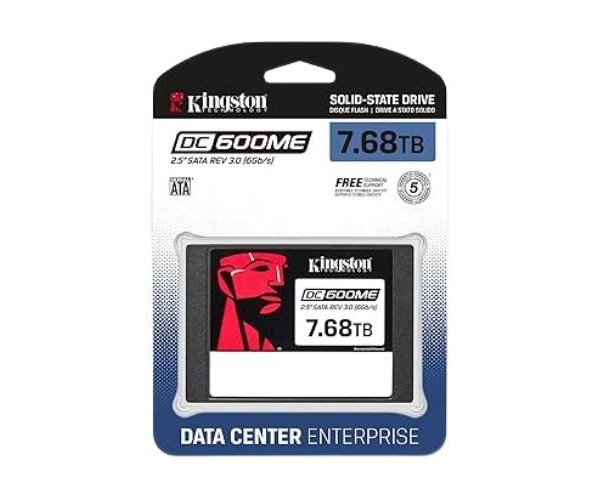
About the Kingston SEDC600ME/7680G DC600M 7.68 TB 2.5” SATA Enterprise SSD
The Kingston SEDC600ME/7680G DC600M 7.68TB 2.5” SATA Enterprise SSD is a high-capacity, reliable storage drive built for data centers. It delivers fast speed, strong endurance, and advanced protection, making it perfect for enterprise-level server workloads.
Kingston SEDC600ME/7680G DC600M 7.68TB 2.5” SATA Enterprise SSD in BD
With 7.68TB capacity and advanced features like PLP and high IOPS rates, it provides speed, reliability, and long-term performance for mission-critical applications: the Kingston SEDC600ME/7680G DC600M 7.68TB 2.5” SATA Enterprise SSD is specially built for enterprise data centers that require performance consistency and low latency operations.
User Experience
According to users, the Kingston SEDC600ME/7680G DC600M 7.68TB 2.5” SATA giving great performance under arduous workloads from these server applications. Fast in boot times and instant in data transfer operations, this piece of hardware stays cool under pressure. IT pros loved the SEDC600ME/7680G for its consistent read/write operations and power loss protection. It reportedly enhanced database performance and stability in virtualized environments. The installation is easy, and it integrates well into existing server infrastructure. Whether you are running databases, operating virtual machines, or running analytics-this SSD keeps everything up and running without missing a beat, and there is no risk of data loss.
Why Choose the Kingston SEDC600ME/7680G DC600M SATA 7.68TB SSD Enterprise?
Purchase the
Kingston SEDC600ME/7680G 7.68TB 2.5” SATA Enterprise SSD for your enterprise's needs because it provides a great combination of storage speed and reliability. This unit is made using 3D TLC NAND for endurance and longer lifespan. Power Loss Protection (PLP) keeps your data safe even during an unexpected shutdown. With up to 94,000 IOPS read and 14PB endurance, this SSD solution is appropriate for high-traffic server environments where intense operations take place. Therefore, for the 24/7 working businesses, the
Kingston DC600M 7.68TB 2.5” SATA Enterprise SSD is a good choice.
Kingston SEDC600ME/7680G DC600M 7.68TB SATA Enterprise SSD is designed to perform for data centers without compromising on workload. Virtualization, big databases, and e-commerce platforms will be no problem for this SSD and will deliver a solid performance when the pressure is on.
Installation Steps
- Shut down the server or the system and unplug it from power.
- Open the case or server rack according to the manufacturer's specifications.
- Locate the 2.5'' drive bay, or tray, for installation.
- Insert the Kingston SEDC600ME/7680G DC600M SSD into the bay securely.
- Connect the SATA power and data cables.
- Close the case or secure the rack back.
- Power on the system and enter BIOS to verify SSD recognition.
- Install the operating system or clone if needed.
- On your OS, format the drive before using it.


-70x60h.png "Kingston 1TB M.2 2280 PCIe Gen 4×4 NVMe SSD (SNV2S)")


