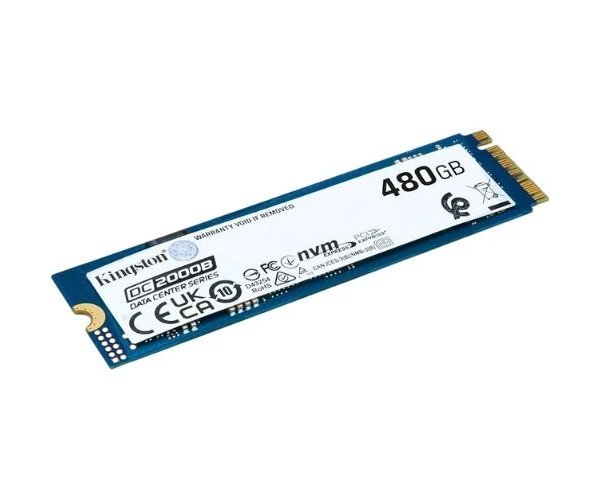
About of KINGSTON SEDC2000BM8/480G DC2000B 480GB PCIe 4.0 NVMe M.2 SSD.
The KINGSTON SEDC2000BM8/480G DC2000B 480GB PCIe 4.0 NVMe M.2 SSD is a high-performance storage drive made for data centers. It offers fast read/write speeds, low latency, and great reliability for consistent and efficient server performance.
KINGSTON SEDC2000BM8/480G DC2000B 480GB PCIe 4.0 NVMe M.2 SSD. in BD
The KINGSTON DC2000B 480GB PCIe 4.0 NVMe M.2 SSD is designed specifically for an enterprise environment where performance, endurance, and reliability are critical. The SSD meets advanced workloads in data centers and helps businesses deal efficiently and with lower power usage with data in vast amounts.
User Experience
The performance of the KINGSTON SEDC2000BM8/480G 480GB PCIe 4.0 NVMe M.2 SSD provides fast and reliable storage. Quick booting of the system, smooth transferring of data, and easy handling of heavy tasks in servers are possible. It does this quietly, producing little heat and maintaining a stable operation under pressure. Users report excellent uptime with applications loading faster and better handling of data.With its built-in Power Loss Protection, this drive safeguards your data against unexpected power failures. Engineered for high performance, it delivers enterprise-level reliability and speed, making it ideal for data centers. Despite its advanced features, it remains simple to install and easy to use.
Why Choose the KINGSTON SEDC2000BM8/480G DC2000B 480GB PCIe 4.0 NVMe M.2 SSD?
KINGSTON's SEDC2000BM8/480G DC2000B 480GB PCIe 4.0 NVMe M.2 SSD stands for buying from a trusted vendor known for high-end memory and storage solutions. Such SSDs are meant for companies that require consistent high-speed storage for virtual machines, large databases, or web hosting platforms. With PCIe 4.0 technology support, it transfers data much faster than standard SATA drives. The enterprise-grade Power Loss Protection actively minimizes the risk of data loss. With its extended life cycle and compact dimensions, this drive has the ideal characteristics for upgrading your server or workstation.
Installation Steps
- Power Down: Power down your computer or server for proper shutdown.
- Opening the Casing: Remove the side panel or cover carefully.
- Finding the M.2 Slot: Locate the available M.2 PCIe slot on the motherboard.
- Inserting the SSD: Gently insert the Kingston SEDC2000BM8/480G DC2000B SSD at an angle of 30 degrees and push it down.
- Secure the SSD in place using a screw to ensure it stays firmly locked during operation.
- Closing the Case: Secure the side panel back onto the computer casing.
- Switching It On: Power it back on and look for BIOS confirmation of the installation.
- Initialize and Format: Format and initialize using the appropriate disk management tools.


-70x60h.png "Kingston 1TB M.2 2280 PCIe Gen 4×4 NVMe SSD (SNV2S)")


