About of Intel SSDSA2BZ100G3 100 GB SATA Solid State Drive
The Intel SSDSA2BZ100G3 Solid State Drive 100GB SATA offers fast speed, reliable storage, and long-term performance. Designed for users who demand speed and smooth performance, this SSD delivers a faster, more responsive experience whether you're using a laptop, desktop, or workstation.
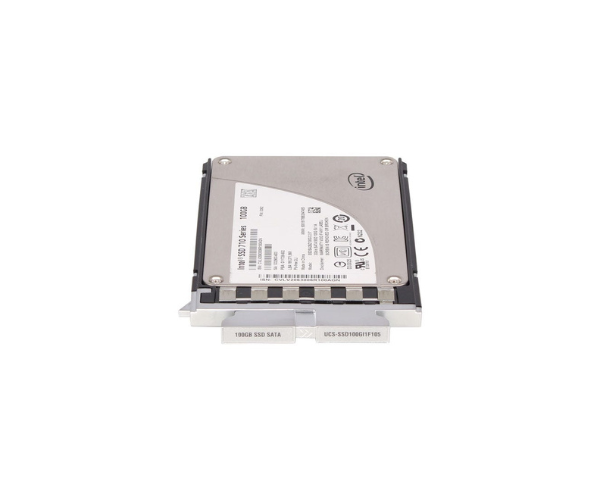
Intel SSDSA2BZ100G3 100GB SATA Solid State Drive in BD
The Intel SSDSA2BZ100G3 100GB SATA SSD is a solid choice for users who want faster boot time, quicker file access, and energy efficiency. This drive replaces old hard disks and makes your system run better and smoother, with solid Intel engineering behind it.
User Experience
Users who upgraded to the Intel SSDSA2BZ100G3 Solid Drive 100GB SATA noticed a big improvement in system speed and response. Applications load faster, and boot time is cut down significantly. It's quiet, energy-saving, and doesn’t heat up easily. Ideal for everyday use and even light professional work. Many users also mentioned it's reliable over time and works well with older systems thanks to its SATA II interface. If you're moving from a traditional HDD, this SSD feels like a big upgrade in performance and overall experience.
Why Choose the Intel SSDSA2BZ100G3 Solid State Drive 100GB SATA?
There are many reasons to choose the Intel SSDSA2BZ100G3 100 GB SATA Solid State Drive. First, it comes from Intel, a highly trusted and proven brand known for delivering reliable, high-performance technology. It offers great read and write speed, helping your computer run faster. Second, it's built to last with a solid lifespan and low power use. Third, it fits in most laptops and desktops. If you need a simple, reliable upgrade that improves your device’s performance, the Intel SSDSA2BZ100G3 Solid State Drive 100GB is a smart and affordable option.
Installation Steps
-
Turn Off Your Computer – Unplug it from the power source.
-
Open the Case or Back Panel – Depending on your device type.
-
Locate the SATA Port – Find a free SATA data and power cable.
-
Insert the SSD – Plug in the Intel SSDSA2BZ100G3 Solid Drive 100GB SATA.
-
Secure the SSD – Screw it in or slide it into the 2.5-inch drive bay.
-
Close the Panel – Put your case or back cover back on.
-
Turn On the Computer – Go into BIOS to confirm the SSD is detected.
-
Install OS or Clone Old Drive – Use cloning software or install your operating system fresh.



-70x60h.png "Intel 1.92TB S4520 SATA SSD (SSDSC2KB019TZ01)")


