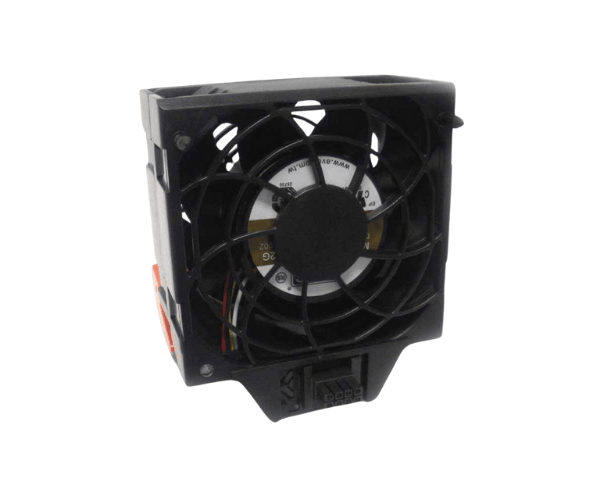
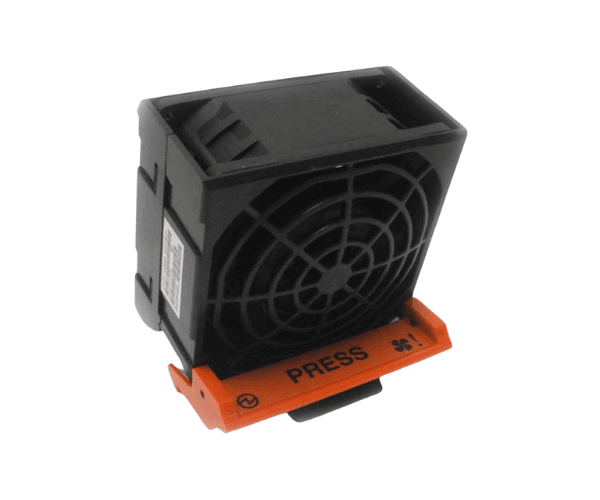
The
IBM 74Y7850 Fan Assembly is a robust cooling solution designed specifically for IBM servers. It delivers optimal airflow, efficiently reduces heat, and helps maintain peak performance, extending the lifespan of crucial components in demanding environments.
Specification
| Feature |
Details |
| Model Number |
IBM 74Y7850 |
| Fan Type |
Assembly |
| Voltage |
12V |
| Connector Type |
4-pin |
| Airflow |
22 CFM |
| Fan Speed |
4500 RPM |
| Noise Level |
28 dBA |
| Compatibility |
IBM System Servers |
| Dimensions |
75mm x 75mm x 30mm |
| Weight |
0.15 kg |
Description
IBM 74Y7850 Fan Assembly in BD
The
IBM 74Y7850 Fan is engineered to meet the cooling requirements of IBM server systems, ensuring stable and efficient performance even under demanding workloads. This fan assembly effectively prevents overheating, safeguarding your server’s components from potential damage and extending their longevity.
User Experience
Users of the
IBM 74Y7850 Fan appreciate its reliable performance and quiet operation, even in high-stress environments. This fan assembly delivers excellent airflow, effectively keeping temperatures low in IBM servers. Installation is straightforward, making it accessible to both experienced technicians and those new to server maintenance. Users report improved system stability and performance thanks to its efficient cooling capabilities. Additionally, the
IBM 74Y-7850 Fan Assembly is durable, providing long-lasting performance, which makes it a cost-effective choice for IBM server owners looking to ensure continuous uptime and optimal system conditions.
Why Choose the IBM 74Y7850 Fan Assembly?
Choosing the
IBM 74Y7850 Fan Assembly ensures your IBM server remains cool and performs optimally, even under heavy workloads. Designed specifically for IBM systems, it delivers consistent, high-quality cooling to prevent overheating and promote system longevity. Quiet, efficient, and easy to install, the
IBM 74Y7850 Fan Assembly is the ideal choice for anyone needing dependable cooling in IBM servers.
Installation Steps
- Shut down your server and disconnect from the power source for safety.
- Open the server chassis to access the fan installation area.
- Carefully remove any old or damaged fan assembly.
- Position the IBM 74Y7850 Fan Assembly in the designated slot within the server.
- Secure the fan assembly using the appropriate mounting screws.
- Connect the fan to the designated 4-pin connector on the motherboard.
- Close the chassis, reconnect the power, and restart the server.
- Confirm the fan is operational, ensuring airflow and cooling effectiveness.
What is the Price of the IBM 74Y7850 Fan Assembly in BD?
Crystal Vision Solutions specializes in server solutions, including the
IBM 74Y7850 Fan Assembly, catering to diverse needs in Bangladesh. IBM server fans and blowers at the best price in Bangladesh. Order the best quality server fan and blower at the lowest price in Bangladesh. Our products ensure optimal performance and reliability, backed by competitive pricing and expert service to meet your business’s requirements effectively.