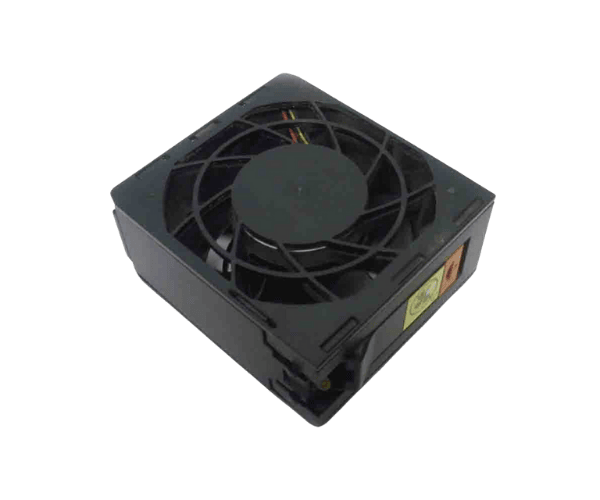
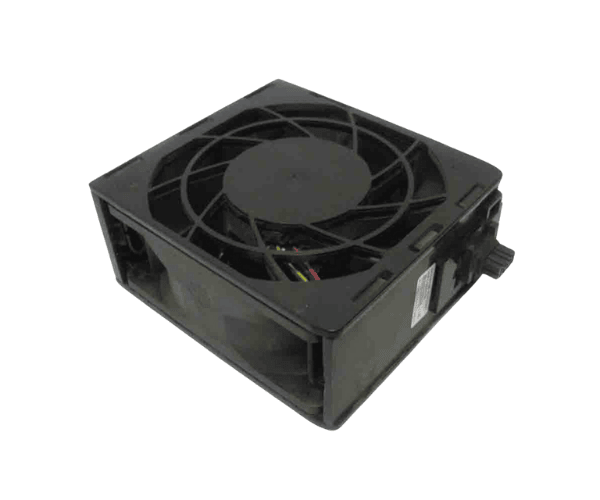
The
IBM 00MU235 Lenovo Fan for X3500 M5 is a reliable cooling solution designed specifically for the Lenovo X3500 M5 server. With a durable build and efficient airflow, this fan ensures optimal performance and extends the life of your server by preventing overheating and ensuring stable operation during heavy workloads.
Specification
| Feature |
Description |
| Model Number |
IBM 00MU235 |
| Product Type |
Cooling Fan for Lenovo X3500 M5 |
| Fan Size |
80 mm |
| Operating Voltage |
12V DC |
| Noise Level |
Low noise operation |
| Airflow |
High airflow for cooling |
| Material |
Durable plastic and metal components |
| Compatibility |
Designed specifically for Lenovo X3500 M5 |
| Operating Temperature |
0°C to 55°C |
| Power Consumption |
Energy-efficient design |
| Weight |
Lightweight, easy to install |
Description
IBM 00MU235 Lenovo Fan for X3500 M5 in BD
The
IBM 00MU235 Lenovo Fan for X3500 M5 is a critical component designed to keep your Lenovo X3500 M5 server cool during intensive processing tasks. With its efficient airflow and quiet operation, this fan provides optimal cooling, helping to prevent system overheating and ensuring continuous performance under load. The fan is engineered for easy installation and long-lasting durability, offering excellent value for maintaining server health.
User Experience
The
IBM 00MU235 Lenovo Fan for X3500 M5 is praised for its simple installation and reliable performance. Users report a noticeable improvement in cooling and overall server stability after installation. The fan operates quietly, even under heavy workloads, preventing overheating without adding unwanted noise. Many have found the installation process straightforward, with no need for specialized tools or technical expertise. The fan’s durable construction ensures that it performs well over time, even in demanding environments. Overall, customers recommend the
IBM 00MU235 Lenovo Fan for X3500 M5 for anyone looking to maintain an efficient and well-cooled server.
Why Choose the IBM 00MU235 Lenovo Fan?
The
IBM 00M-U235 Lenovo Fan for X3500 M5 is the ideal cooling solution for your Lenovo X3500 M5 server. Its efficient and reliable design ensures your server runs at its best, even under heavy loads. The fan's low noise level ensures a quieter work environment, and its energy-efficient design helps reduce power consumption. Designed specifically for the Lenovo X3500 M5, it guarantees perfect compatibility and longevity. Choose the
IBM 00MU235 Lenovo Fan to enhance your server’s performance, improve its cooling, and ensure its longevity with minimal maintenance.
Installation Steps
- Power Down the Server: Ensure the server is turned off and disconnected from any power source before beginning the installation.
- Open the Server Chassis: Access the internal components of your Lenovo X3500 M5 server by opening the chassis.
- Locate the Existing Fan: Identify the location of the old fan (if applicable) or the designated slot for the IBM 00MU235 Lenovo Fan.
- Remove the Old Fan (if necessary): If replacing an existing fan, carefully remove it by disconnecting the power cable and loosening any securing mechanisms.
- Install the New Fan: Place the IBM 00MU235 Lenovo Fan into the fan slot, ensuring proper alignment with the connectors.
- Secure the Fan: Once in place, secure the fan and connect it to the power supply.
- Close the Chassis: Close the server chassis, ensuring it is fully sealed.
- Power On the Server: Turn the server back on and verify that the fan is operating correctly.
- Monitor System Performance: Keep an eye on the system temperature and fan operation to ensure proper cooling.
What is the Price of the IBM 00MU235 Lenovo Fan for X3500 M5 in BD?
Crystal Vision Solutions specializes in server solutions, including the
IBM 00MU235 Lenovo Fan for X3500 M5, catering to diverse needs in Bangladesh. IBM server fans and blowers at the best price in Bangladesh. Order the best quality server fan and blower at the lowest price in Bangladesh. Our products ensure optimal performance and reliability, backed by competitive pricing and expert service to meet your business’s requirements effectively.