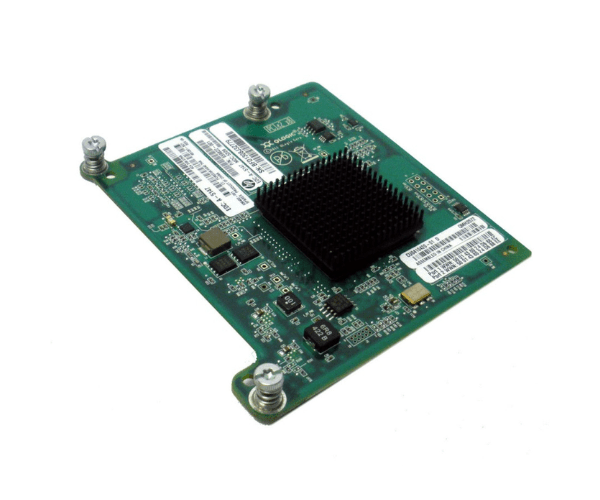
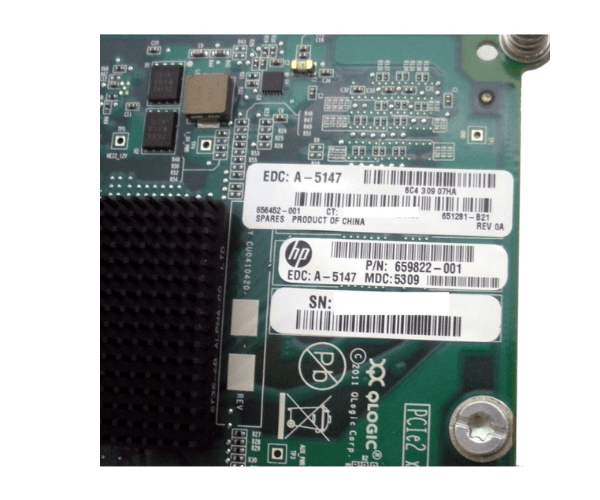
HPE 651281-B21 QMH2572 8GB 2-Port FC HBA
The HPE 651281-B21 QMH2572 8GB 2-Port FC HBA is a high-performance Fibre Channel Host Bus Adapter designed to deliver exceptional speed and reliability for storage area networks. With dual 8GB ports, this HBA ensures fast data transfer and efficient connectivity, making it an essential component for enterprise-level storage solutions.
User Experience
Users find the HPE 651281-B21 QMH2572 8GB 2-Port FC Host Bus Adapter to be a reliable solution for high-speed data transfer and storage connectivity. Its dual-port configuration offers enhanced performance and redundancy, which is crucial for maintaining uptime in critical environments. The adapter is easy to install and integrates seamlessly with HPE ProLiant servers, delivering consistent performance and stability.
Why Choose the HPE 651281-B21 QMH2572 8GB 2-Port FC Host Bus Adapter?
The
HPE 651281-B21 QMH2572 8GB 2-Port FC Host Bus Adapter is an excellent choice for those seeking to enhance their storage network’s performance. With its dual 8GB Fibre Channel ports, this adapter ensures high-speed data transfer and reliable connectivity, critical for handling demanding applications and large volumes of data. The HPE 651281-B21 QMH2572 HBA offers superior performance, compatibility with HPE ProLiant servers, and easy installation, making it a top choice for enterprise storage needs.
Key Features
- High-Speed Performance: Dual 8GB Fibre Channel ports for fast data transfer and low latency.
- Enhanced Connectivity: Reliable connection for storage area networks and high-demand applications.
- Seamless Integration: Compatible with HPE ProLiant servers for easy installation and operation.
- Redundancy: Dual ports offer improved performance and failover support.
- Easy Installation: PCIe form factor for straightforward integration into compatible servers.
Installation Steps
- Power Down the Server: Ensure the HPE ProLiant server is powered off and unplugged before starting the installation.
- Open the Server Chassis: Carefully remove the server’s chassis cover to access the PCIe slots.
- Insert the Host Bus Adapter: Locate an available PCIe slot and insert the HPE 651281-B21 QMH2572 8GB 2-Port FC Host Bus Adapter into the slot.
- Secure the Adapter: Ensure the adapater is firmly seated and secured in place.
- Close the Chassis: Reattach the server chassis cover and reconnect any cables that were previously disconnected.
- Power Up and Configure: Turn on the server and configure the HBA using the management software or operating system tools.
- Verify Installation: Check that the HPE 651281-B21 QMH2572 adapter is recognized and functioning correctly in the system.