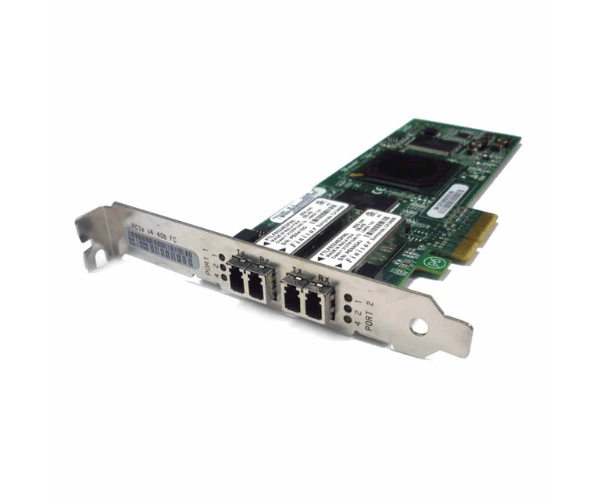
HP 407621-001 PCIe Host Bus Adapter
The HP 407621-001 PCIe Host Bus Adapter is a powerful and reliable solution designed to enhance server performance and connectivity. Ideal for data-intensive environments, this adapter ensures high-speed data transfer and robust connectivity, making it a valuable addition to any IT infrastructure.
User Experience
Users of the HP 407621-001 PCIe HBA report exceptional performance improvements in data transfer speeds and system reliability. With easy installation and seamless integration into existing systems, this adapter enhances overall server efficiency. The robust build quality ensures long-term durability and stable operation under demanding workloads.
Why Choose the HP 407621-001 PCIe Host Bus Adapter?
The
HP 407621-001 PCIe HHA stands out due to its high-speed data transfer capabilities and excellent compatibility with HP servers. It delivers superior performance and reliability, making it a top choice for professionals seeking to boost their server's connectivity and processing power. Investing in the HP 407621-001 ensures a reliable and efficient solution for your IT infrastructure needs.
Key Features
- High-Speed Data Transfer: Achieve speeds of up to 6 Gbps for faster data access and reduced latency.
- PCI Express Interface: Ensures compatibility with modern server systems and improved performance.
- Low Profile Design: Fits comfortably into tight spaces, ideal for compact server setups.
- Broad OS Compatibility: Works seamlessly with various operating systems, including Windows and Linux.
- Reliable Build Quality: Designed for long-lasting durability and consistent performance.
Installation Steps
- Power Down the Server: Ensure the server is completely shut down and disconnected from the power source.
- Open the Server Case: Remove the server’s side panel to access the internal components.
- Locate PCIe Slot: Identify an available PCIe slot on the motherboard.
- Insert the Adapter: Gently insert the HP 407621-001 PCIe HBA into the PCIe slot, ensuring a secure fit.
- Secure the Adapter: Fasten the adapter to the server case using screws if necessary.
- Reconnect Power and Close Case: Reconnect the power supply and replace the server’s side panel.
- Power On and Install Drivers: Power up the server and install the necessary drivers for the adapter.