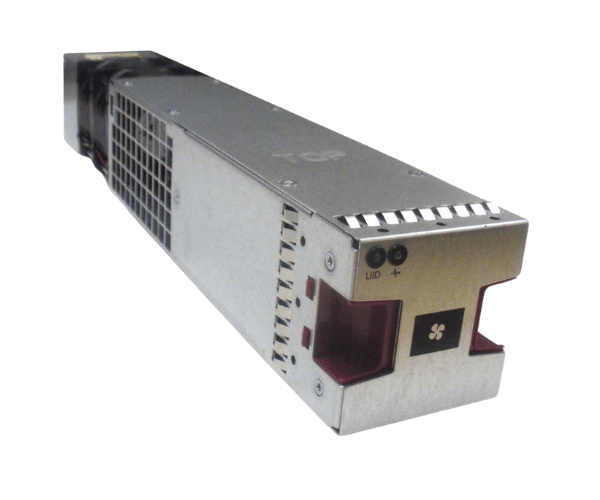
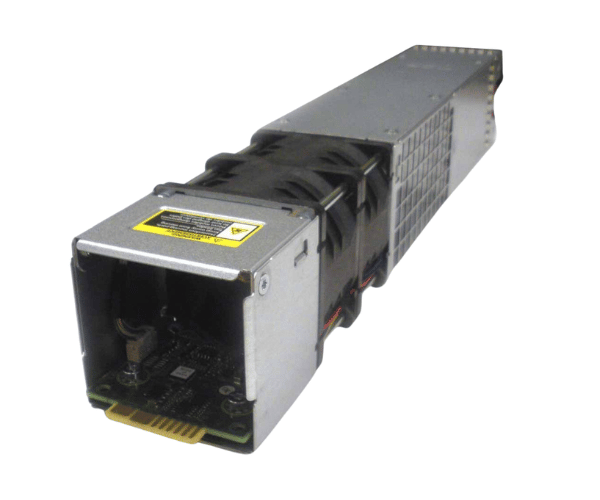
HP QW967-63707 Fan Assembly D3600 D3700
The
HP QW967-63707 Fan Assembly is designed to provide efficient cooling for HP D3600 and D3700 storage enclosures. This high-performance fan assembly is essential for maintaining optimal operating temperatures, ensuring the reliable performance of your storage systems, preventing overheating, and extending the hardware's lifespan.
User Experience
The
HP QW967-63707 Fan Assembly is widely praised for its reliability and efficiency. Users of the HP D3600 and D3700 storage enclosures find this fan assembly crucial for maintaining proper airflow and preventing overheating. It helps ensure that storage systems run smoothly and efficiently, minimizing the risk of thermal damage. The fan’s easy installation process and effective cooling capabilities make it a preferred choice among IT professionals. By providing consistent cooling, the
HP QW967-63707 Fan Assembly contributes to the overall stability and longevity of your storage hardware.
Why Choose the HP QW967-63707 fan Assembly?
The
HP QW967-63707 Fan Assembly is the ideal choice for maintaining optimal cooling in HP D3600 and D3700 storage enclosures. It offers high-performance cooling, essential for preventing overheating and ensuring the reliability of your storage systems. Its compatibility with the HP D3600 and D3700 makes it a perfect fit, and its design ensures efficient airflow to keep your hardware functioning at its best.
Opting for the
HP QW967-63707 Fan Assembly means investing in a high-quality cooling solution that enhances the performance and durability of your storage enclosures. Its ease of installation and effective cooling make it a valuable addition to any IT infrastructure, ensuring that your storage systems remain reliable and efficient.
Installation Steps
- Power Down the Enclosure: Ensure the HP D3600 or D3700 storage enclosure is turned off and unplugged from the power source.
-
Open the Enclosure: Take off the cover or access panel to access the internal parts.
- Locate the Old Fan: Identify the existing fan assembly that needs to be replaced or serviced.
- Remove the Old Fan: Disconnect the old fan from its power connector and remove it from its mounting position.
- Install the New Fan: Position the HP QW967-63707 Fan Assembly in place, secure it with screws or clips, and connect the power cable.
- Reassemble the Enclosure: Replace the cover or access panel and secure it properly.
- Power On the Enclosure: Reconnect the power source and turn on the storage enclosure.
- Verify Operation: Ensure that the new HP QW967-63707 Fan Assembly is operating correctly and that there are no unusual noises or issues.