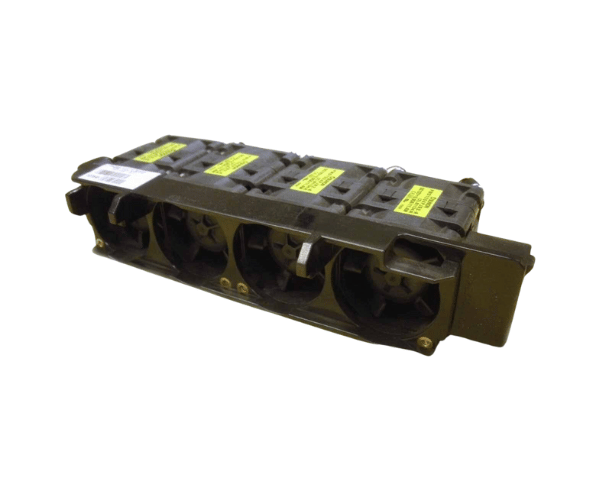
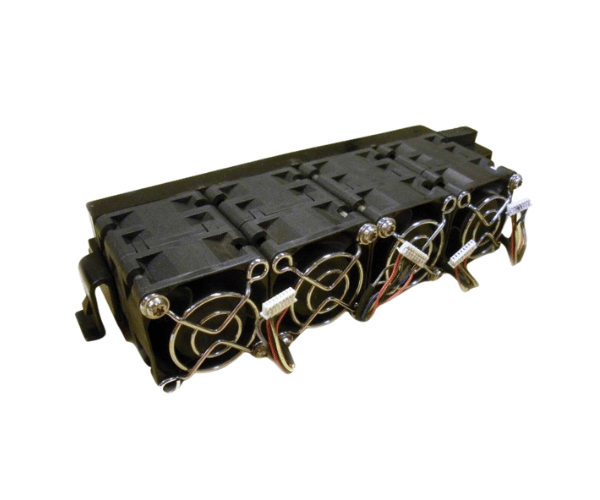
Introduction of HP Compaq 371708-001 SPS Fan System
The
HP Compaq 371708-001 SPS Fan System is an essential component for maintaining optimal performance and temperature in HP servers. Designed for reliability and efficiency, this fan system ensures that your server remains cool, even under heavy workloads. By preventing overheating, it plays a crucial role in protecting your hardware and enhancing the overall longevity of your server system. Whether you are upgrading your existing setup or replacing a malfunctioning fan, the
HP Compaq 371708-001 SPS Fan System is a wise investment.
Why Choose the HP Compaq 371708-001 SPS Fan System?
Choosing the
HP Compaq 371708-001 Fan System ensures that your server operates at peak performance. This fan system provides reliable cooling, helping to prevent overheating and hardware failures. Its efficient design not only maintains optimal temperatures but also reduces energy consumption. With a focus on durability and ease of installation, the
HP Compaq 371708-001 Fan System is the perfect choice for anyone looking to enhance their server's reliability and efficiency.
User Experience
Users have reported positive experiences with the
HP Compaq 371708-001 SPS Fan. Many appreciate its quiet operation, which minimizes disruptions in office environments. The installation process is straightforward, making it accessible even for those with limited technical knowledge. Users also note the improved airflow and cooling performance after upgrading to this fan system. Overall, the
HP Compaq 371708-001 SPS Fan receives high marks for its effectiveness and reliability.
Detailed Breakdown of Features
The
HP 371708-001 SPS Fan System features advanced engineering for superior cooling performance. It operates quietly, allowing for a peaceful work environment while efficiently dispersing heat from critical components. Its durable construction ensures longevity, making it suitable for continuous operation in demanding server environments. The fan system’s low power consumption helps reduce overall energy costs, making it an eco-friendly choice. Furthermore, its plug-and-play design allows for easy installation, enabling users to quickly replace or upgrade their fan system without the need for specialized tools.
Installation Steps
Installing the
HP 371708-001 SPS Fan System is simple and can be completed in a few easy steps:
- Power Down: Turn off the server and unplug it from the power source.
- Open the Case: Remove the server’s side panel to access the internal components.
- Remove the Old Fan: Carefully disconnect and remove the existing fan system if applicable.
- Install the New Fan: Align the HP SPS Fan System with the mounting points and secure it in place.
- Reconnect: Plug in the fan’s power connector to the motherboard or power supply.
- Close the Case: Reattach the side panel of the server.
- Power Up: Plug the server back in and power it on to ensure the fan operates correctly.
Where It Can Be Used?
The
Compaq 371708-001 SPS Fan System is primarily designed for use in servers. It is ideal for data centers, server rooms, and any environment where server performance and reliability are critical. This fan system is suitable for both small businesses and larger enterprises looking to maintain efficient cooling for their server setups.