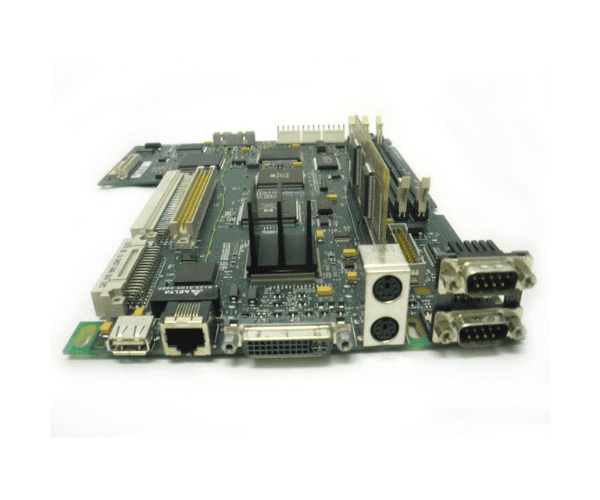
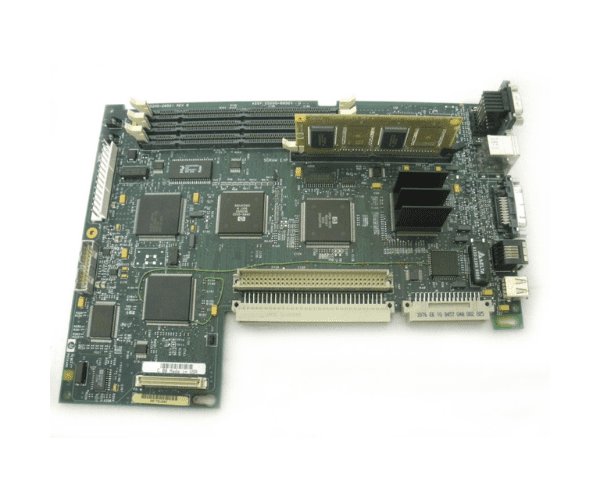
HP C5200-66501 Envizex II System Board
The HP C5200-66501 Envizex II System Board is a high-performance component designed to enhance the functionality of HP’s Envizex II series. Offering robust performance and exceptional reliability, this system board is perfect for upgrading or replacing critical server components in demanding business environments.
User Experience
The HP C5200-66501 Envizex II Motherboard is praised for its reliability and high performance. Users report a smooth integration process with existing HP systems, resulting in improved server speed and efficiency. The board’s robust design ensures stability under heavy workloads, making it a preferred choice for critical business applications.
Why Choose HP C5200-66501 Envizex II System Board?
The
HP C5200-66501 Envizex II Motherboard stands out due to its exceptional compatibility and advanced features. Designed specifically for the HP Envizex II series, it offers superior performance, enhanced memory capacity, and reliable RAID support. Choosing this product ensures a seamless upgrade or replacement that meets the demands of high-performance environments, providing both durability and efficiency.
Key Features
- High Compatibility: Tailored for HP Envizex II series servers.
- Enhanced Processing: Supports Intel Xeon processors for optimal performance.
- Large Memory Capacity: Accommodates up to 512GB DDR3 memory.
- RAID Support: Multiple RAID configurations for data protection.
- Advanced Networking: Integrated Gigabit Ethernet for fast and reliable connectivity.
- Expansion Options: Multiple PCIe slots for added flexibility.
- USB Connectivity: Multiple USB 2.0 ports for additional peripheral support.
- Storage Interfaces: Supports both SAS and SATA storage devices.
Installation Steps
- Power Down and Disconnect: Ensure that the server is completely powered down and disconnected from all power sources.
- Open the Server Chassis: Remove the server chassis cover according to the manufacturer’s instructions.
- Remove the Old System Board: Unscrew and carefully detach the existing system board from its mounting points.
- Install the New Systems Board: Position the HP C5200-66501 Envizex II Board into the chassis, aligning it with the mounting points.
- Reconnect Cables: Attach all necessary cables and connectors to the new system board.
- Secure the Board: Fasten the system board with screws to ensure it is securely mounted.
- Reassemble the Chassis: Replace and secure the chassis cover.
- Reconnect Power and Boot Up: Reconnect the server to the power source and power it on. Confirm that the system board is recognized and functioning properly.