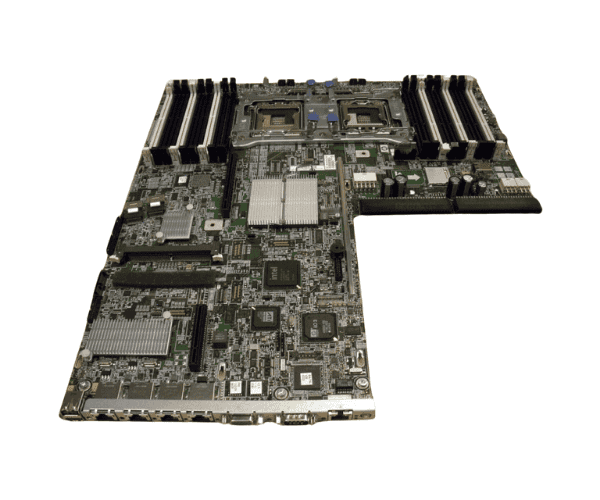
HP 602512-001 DL360 G7 System Board
The
HP 602512-001 DL360 G7 System Board is designed to deliver reliable performance for enterprise environments. It supports the HP ProLiant DL360 G7 server, providing excellent compatibility and power efficiency. With its enhanced features, this system board ensures smooth data processing and offers high scalability for server management, making it a vital component for upgrading or replacing server hardware.
User Experience
Users report that the
HP 60 2512-001 DL360 G7 System Board offers reliable and consistent performance for server operations. It efficiently handles high workloads and multi-threaded tasks. The 18 DIMM slots allow for substantial memory expansion, making it ideal for businesses needing enhanced processing capabilities. The integrated Smart Array P410i storage controller enables fast and secure data storage, while the multiple PCI Express slots offer flexibility for future upgrades. Users appreciate the stability and longevity of this system board, ensuring minimal downtime for critical server environments.
Why Choose the HP 602512-001 DL360 G7 System Board?
The
HP 602 512-001 DL360 G7 System Board is the ideal choice for businesses looking to upgrade their server performance. With compatibility for the HP ProLiant DL360 G7, it ensures seamless integration with your existing hardware. Its robust support for Intel Xeon 5500 and 5600 processors, along with 18 DDR3 DIMM slots, offers superior performance in demanding applications. The
HP 602512-001 DL360 Gen7 System Board provides advanced networking capabilities through its four Gigabit Ethernet ports, ensuring fast and secure connections. Choose the
HP 602512-001 DL360 Gen7 System Board to optimize your server infrastructure for maximum efficiency and scalability.
Installation Steps
- Power down the server and disconnect all cables.
- Remove the server cover to access the internal components.
- Locate the existing system board and disconnect all connections (power, data, etc.).
- Unscrew and remove the old system board from the server chassis.
- Place the HP 602512-001 DL360 Gen7 System Board into the same slot, securing it with screws.
- Reconnect all cables to the new system board (power, data, etc.).
- Close the server cover and reconnect all external cables.
- Power on the server and verify the system board is functioning correctly through the BIOS.



-70x60h.png "HP 491835-001 ML370 G6 System Backplane Board")


