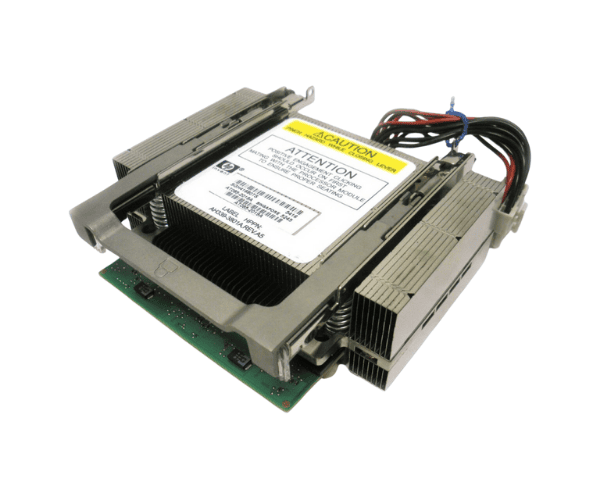
HP AM385A AT085-2019A Itanium 9520 Processor Kit
The
HP AM385A AT085-2019A Itanium 9520 Processor Kit is a high-performance solution designed to enhance the capabilities of HP servers. With a robust architecture and advanced features, this processor delivers exceptional speed and reliability for demanding applications. It ensures efficient operation and superior performance for enterprise-level tasks.
User Experience
The
HP AM385A AT085-2019A 9520 Processor Kit provides users with impressive performance improvements and reliability. Its 1.60 GHz clock speed and eight-core design enhance computing power, making it suitable for complex and resource-intensive applications. Users appreciate the processor’s ability to handle multiple tasks efficiently, significantly reducing latency and improving overall system responsiveness. Ideal for data centers and enterprise environments, the
HP AM385A AT085-2019A 9520 Processor Kit supports seamless multitasking and high-performance computing, contributing to a more productive and reliable server operation.
Why Choose the HP AM385A AT085-2019A Itanium 9520 Processor?
Opting for the
HP AM385A AT085-2019A Itanium 9520 Processor ensures you get a processor with exceptional performance and reliability. The 1.60 GHz clock speed and eight-core architecture provide the power needed for high-demand applications and complex tasks. The large 24 MB cache helps in faster data processing, while the compatibility with HP servers ensures seamless integration. The
HP AM385A AT085-2019A Itanium 9520 Processor is designed to handle enterprise-level workloads with ease, making it a valuable upgrade for improving server performance and efficiency. It’s the ideal choice for those seeking enhanced computing capabilities in a reliable package.
The
HP AM385A AT085-2019A Itanium 9520 Processor delivers the performance needed for demanding environments, combining power and reliability to support high-performance server operations.
Installation Steps
- Power down the server and disconnect all power sources.
- Open the server chassis to access the processor slot.
- Remove the existing processor if required, following HP’s safety guidelines.
- Align the HP AM385A AT085-2019A Itanium 9520 Processor with the socket and carefully insert it.
- Secure the processor using the locking mechanism provided.
- Close the server chassis and reconnect all power cables.
- Power on the server and verify that the processor is recognized by the system BIOS.