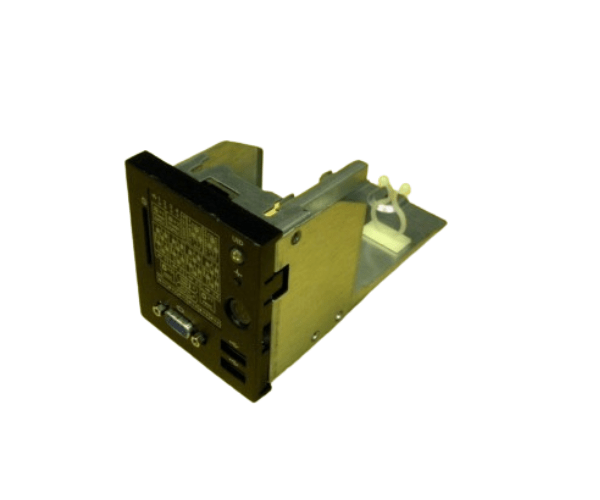
HP AH395-69003 Front Panel SID Assembly Board RX28
The
HP AH395-69003 Front Panel SID Assembly Board RX28 is an essential component designed to enhance the functionality of HP servers. This front panel board provides easy access to system status indicators and controls, ensuring efficient management and monitoring of your server operations. Built with durability and reliability in mind, it’s an ideal choice for maintaining the seamless performance of your server infrastructure.
User Experience
The
HP AH395-69003 Front Panel SID Assembly Boards RX28 significantly enhances the user experience by providing a clear and intuitive interface for monitoring and controlling server operations. Users have reported that installation is straightforward, and the board's layout makes it easy to access and understand various system indicators. The durable construction of this assembly board ensures long-term reliability, reducing the need for frequent replacements or repairs.
Why Choose the HP AH395-69003 Front Panel SID Assembly Boards RX28?
Choosing the
HP AH395-69003 Front Panel SID Assembly Boards RX28 is a smart decision for anyone looking to maintain optimal server performance. This product is specifically designed for HP RX28 servers, ensuring full compatibility and seamless integration. With its user-friendly design, durable build, and reliable performance, the
HP AH395-69003 Front Panel SID Assembly Board is an essential component for efficient server management. It provides quick access to system indicators and controls, helping you manage your server with ease and confidence.
Key Features
- Compatibility: Designed specifically for HP RX28 servers, ensuring perfect integration and optimal performance.
- Durable Construction: Built with high-quality PCB material for long-lasting reliability.
- User-Friendly Interface: Provides easy access to system indicators and controls, making server management straightforward.
- Easy Installation: Simplifies the setup process with clear instructions and a straightforward design.
- Reliable Performance: Ensures consistent and accurate monitoring of your server’s status.
Installation Steps
- Power Down the Server: Ensure the server is completely powered off before beginning installation.
- Remove the Server Cover: Open the server case to access the internal components.
- Locate the Front Panel Assembly Slot: Identify the correct slot for the HP AH395-69003 Front Panel SID Assembly Board.
- Insert the Assembly: Carefully place the board into the designated slot, ensuring a secure connection.
- Secure the Assembly: Use the appropriate screws or clips to fasten the assembly board in place.
- Reconnect Any Disconnected Cables: Ensure all necessary connections are intact.
- Replace the Server Cover: Once the board is securely installed, close the server case.
- Power On the Server: Turn on the server and check that the front panel indicators are functioning correctly.