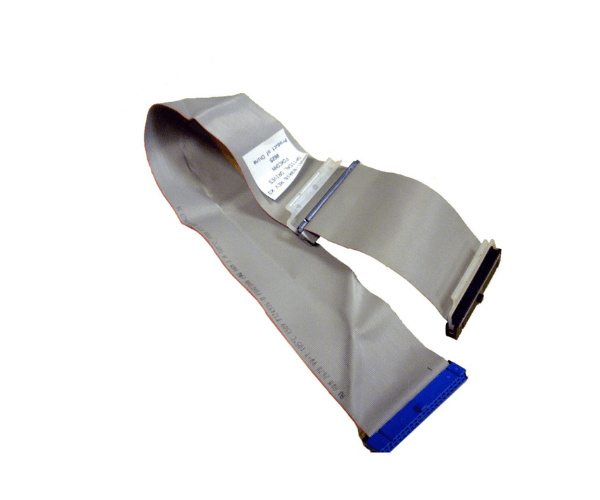
HP AB601-63006 IDE CABLE FOR DVD/CD
The
HP AB601-63006 IDE Cable for DVD/CD is a high-quality cable designed to connect your DVD or CD drive to your computer's motherboard. Ideal for reliable data transfer and seamless connectivity, this IDE cable ensures your optical drives operate efficiently and effectively.
User Experience
The
HP AB601-63006 IDE Cable for Digital versatile disc/CD is well-regarded for its durability and reliability. Users appreciate the straightforward installation process and the cable’s ability to deliver consistent performance. It effectively connects DVD and CD drives, ensuring smooth operation and minimal data transfer issues. The
HP AB601-63006 IDE Cable for DVD/CD is praised for its solid build quality and compatibility with various optical drives, making it a dependable choice for enhancing your computer's functionality.
Why Choose The HP AB601-63006 IDE CABLE FOR Digital versatile disc/CD?
Choosing the
HP AB601-63006 IDE Cable for Digital versatile disc/CD offers several advantages. This cable provides a reliable connection between your Digital versatile disc/CD drive and motherboard, ensuring efficient data transfer and optimal drive performance. The
HP AB601-63006 IDE Cable for Digital versatile disc/CD is designed to meet high standards of quality and compatibility, making it a smart choice for users seeking a durable and effective solution for their optical drives. Its easy installation and dependable performance make it an essential component for any computer setup requiring IDE connectivity.
Key Features
- Reliable Data Transfer: The HP AB601-63006 IDE Cable for Digital versatile disc/CD ensures stable and consistent data transfer between your Digital versatile disc/CD drive and motherboard.
- High Compatibility: Designed to work with various DVD and CD drives, providing versatile connectivity options.
- Durable Construction: Built with quality materials, the cable offers long-lasting performance and reliability.
- Easy Installation: The straightforward design of the HP AB601-63006 IDE Cable for Digital versatile disc/CD allows for quick and hassle-free setup.
- Optimal Performance: Ensures your optical drives operate efficiently, contributing to overall system performance.
Installation Steps
- Power Down Your Computer: Before installing the cable, turn off your computer and disconnect it from the power source.
- Locate the IDE Port: Identify the IDE port on your motherboard where the cable will be connected.
- Connect the Cable: Plug one end of the HP AB601-63006 IDE Cable for Digital versatile disc/CD into the IDE port on the motherboard.
- Attach the Optical Drive: Connect the other end of the cable to the IDE connector on your DVD or CD drive.
- Secure the Connections: Ensure both connections are firmly seated and properly aligned to avoid any loose connections.
- Reassemble Your Computer: Put the computer case back together and reconnect all cables and power sources.
- Power On the Computer: Turn on your computer and verify that the DVD/CD drive is recognized and functioning correctly.