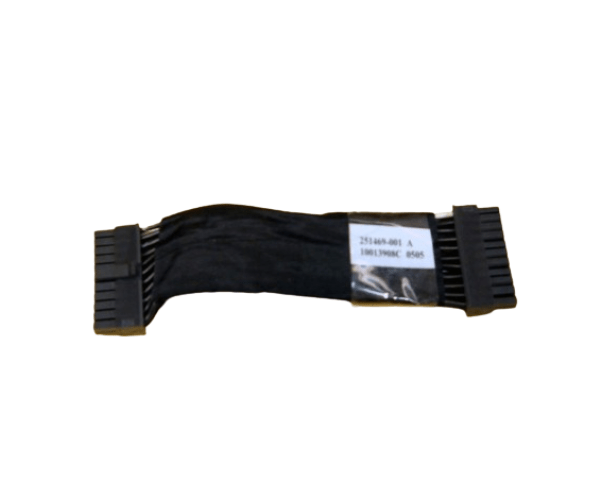
HP 251469-001 22-Pin 5-Inch Interconnect Cable
The HP 251469-001 22-Pin 5-Inch Interconnect Cable is an essential component for connecting devices within HP server systems. Designed for reliable data transfer, this high-quality cable ensures a stable connection between various internal components, supporting the seamless operation of your HP equipment.
User Experience
The HP 251469-001 22Pin 5-Inch Interconnect Cable is highly valued for its reliability and ease of use. Users appreciate its short 5-inch length, which is ideal for tight spaces within server chassis. The cable provides consistent and secure connections, crucial for maintaining high performance and data integrity in HP server systems.
Why Choose the HP 251469-001 22Pin 5-Inch Interconnect Cable?
Choosing the
HP 251 469-001 22-Pin 5-Inch Interconnect Cable ensures a dependable connection for your HP server system. The cable's 22-pin design and compact 5-inch length make it perfect for connecting internal components efficiently. By selecting the HP 22-Pin 5-Inch Interconnect Cable, you benefit from a reliable and high-quality product that supports seamless operation and data transfer, essential for maintaining the performance of your HP equipment.
Key Features
- Reliable Connection: Ensures stable and secure data transfer between internal components.
- Compact Size: The 5-inch length is ideal for confined spaces within server setups.
- Durable Construction: Built to withstand regular use and maintain high performance.
- Easy Installation: Simplifies the connection process with straightforward 22-pin connectors.
- HP Warranty: Comes with HP’s standard warranty for quality assurance.
Installation Steps
- Power Down the System: Make sure your HP server is turned off and disconnected from the power source.
- Open the Server Chassis: Remove the cover to access internal components.
- Locate the Ports: Find the 22-pin connector ports where the HP 251469-001 Cable will be installed.
- Connect the Cable: Plug one end of the HP 251 469-001 22-Pin 5-Inch Interconnect Cable into one 22-pin port and the other end into the corresponding port.
- Secure the Cable: Ensure the cable is firmly connected and properly routed to prevent interference with other components.
- Reassemble the Server: Replace the server cover once the cable is securely installed.
- Power On the System: Reconnect the power source, turn on the server, and verify that the cable is functioning correctly.