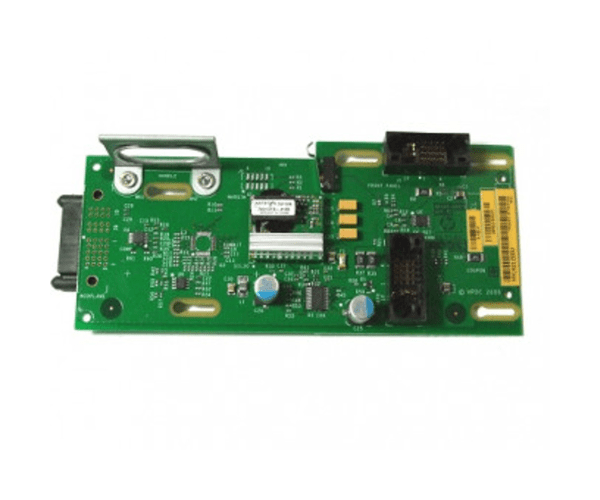
HP AB463-60025 SAS Interconnect Board
The
HP AB463-60025 SAS Interconnect Board is a vital component designed for seamless data communication in HP servers. This interconnect board facilitates reliable SAS connectivity, ensuring efficient data transfer and system performance. Choose the
HP AB463-60025 for robust and dependable SAS connections in your server environment.
User Experience
Users of the
HP AB463-60025 SAS Interconnect Backplane find it highly effective for enhancing SAS connectivity in their HP servers. The board’s design ensures reliable and high-speed data transfer, contributing to overall system stability. The ease of installation and compatibility with various HP server models make the
HP AB463-60025 a popular choice for IT professionals seeking to optimize their server infrastructure.
Why Choose the HP AB463-60025 SAS Interconnect Board Backplane?
The
HP AB463-60025 SAS Interconnect Backplane is specifically engineered to provide reliable and high-performance SAS connectivity for HP servers. Choosing the
HP AB463-60025 ensures that your server will benefit from stable and efficient data transfer, which is crucial for maintaining optimal system performance. Its robust design and compatibility with various HP models make the
HP AB463-60025 a valuable addition to any server setup. Enhance your server’s data communication with the reliable
HP AB463-60025 SAS Interconnect Backplane.
Key Features
- Reliable SAS Connectivity: Provides stable and efficient data transfer through multiple SAS ports.
- High-Quality Construction: Made from durable metal and electronic components for long-term use.
- Easy Installation: Designed for straightforward installation in compatible HP servers.
- Enhanced System Performance: Improves data communication efficiency and server stability.
- Wide Compatibility: Compatible with various HP server models for flexible integration.
Installation Steps
- Power Down the Server: Ensure the server is turned off and disconnected from all power sources.
- Open the Server Chassis: Remove the cover of the server to access internal components.
- Locate the Interconnect Board Slot: Find the designated slot for the SAS interconnect board.
- Remove Existing Board (if applicable): Carefully detach any previous interconnect board or component.
- Install the New Backplane: Insert the HP AB463-60025 SAS Interconnect Backplane into the slot.
- Connect SAS Cables: Attach SAS cables to the ports on the interconnect board.
- Secure the Board: Use screws or clips to ensure the board is firmly in place.
- Close the Chassis: Replace and secure the server cover.
- Power On the Server: Reconnect power and start the server. Verify that the SAS connections are functioning properly.