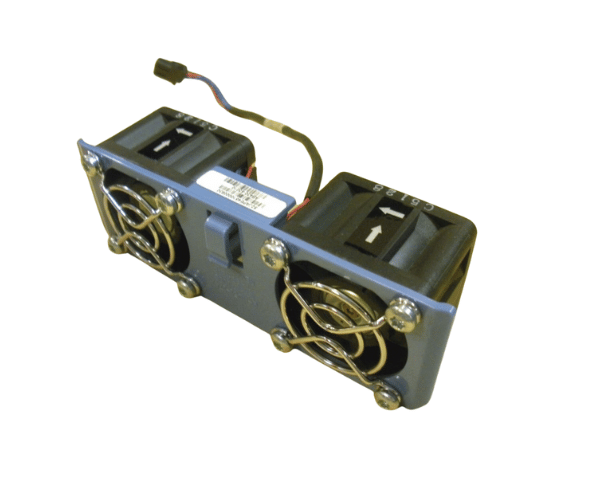
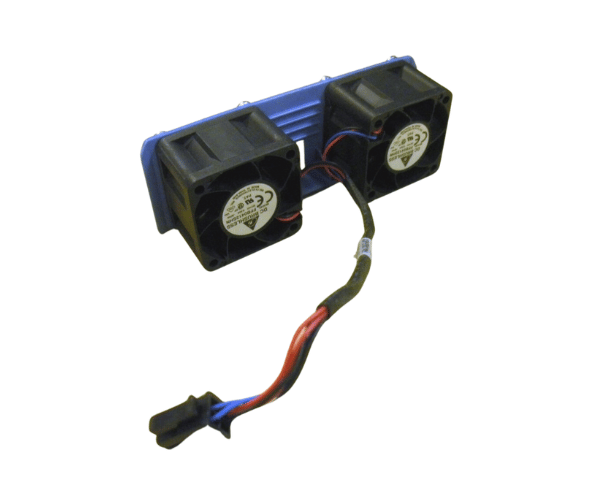
HP AB430-63010 Dual Chassis Fan Assembly rx1600 rx1620
The
HP AB430-63010 Dual Chassis Fan Assembly is engineered to provide exceptional cooling performance for HP rx1600 and rx1620 servers. This fan assembly ensures efficient airflow, preventing overheating and maintaining stable system performance under demanding conditions.
User Experience
The
HP AB430-63010 Dual Chassis Fan enhances the cooling efficiency of HP rx1600 and rx1620 servers, contributing to reliable and smooth operation. Users appreciate the fan assembly’s quiet performance and straightforward installation, which minimizes downtime and ensures optimal server performance in demanding environments.
Why Choose the HP AB430-63010 Dual Chassis Fans Assembly?
Choosing the
HP AB430-63010 2Chassis Fan Assembly means investing in superior cooling for your HP rx1600 and rx1620 servers. This fan assembly is designed to handle the high cooling demands of these systems, ensuring they remain operational and efficient even under high workloads. The
HP AB430-63010 offers peace of mind with its reliable cooling capabilities and ease of installation.
Key Features
- Dual High-Efficiency Airflow: Provides effective cooling to maintain optimal server temperatures.
- Durable Construction: Made from robust materials to ensure long-lasting performance.
- Quiet Operation: Operates with minimal noise, making it suitable for office environments.
- Easy Installation: The plug-and-play design allows for quick and hassle-free setup.
- Standard Fit: Designed to fit perfectly within the HP chassis, ensuring a secure and stable installation.
Installation Steps
- Power Down the Server: Ensure the HP rx1600 or rx1620 server is turned off and unplugged from the power source.
- Access the Fan Assembly Slot: Open the server chassis to locate the fan assembly slot.
- Remove Old Fan Assembly: If an old fan assembly is present, carefully remove it from the slot.
- Insert the New Fan Assembly: Place the HP AB430-63010 Two Chassis Fan Assembly into the slot, ensuring it fits securely.
- Secure the Assembly: Fasten any screws or clips to hold the fan assembly in place.
- Reconnect Power: Plug the server back in and power it on to check that the new fan assembly is operating correctly.
- Verify Operation: Ensure the fan is running smoothly and providing adequate cooling.