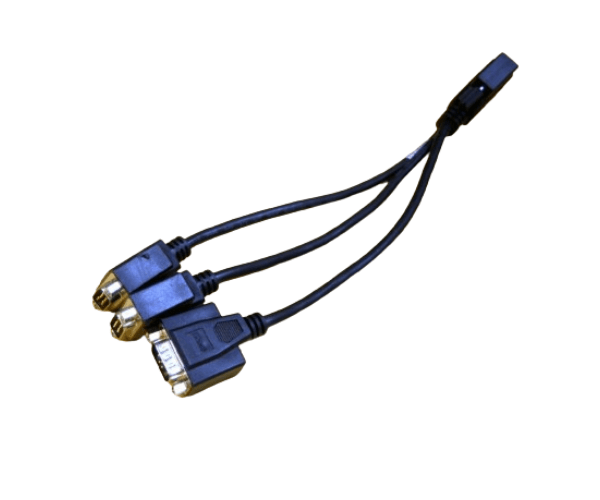
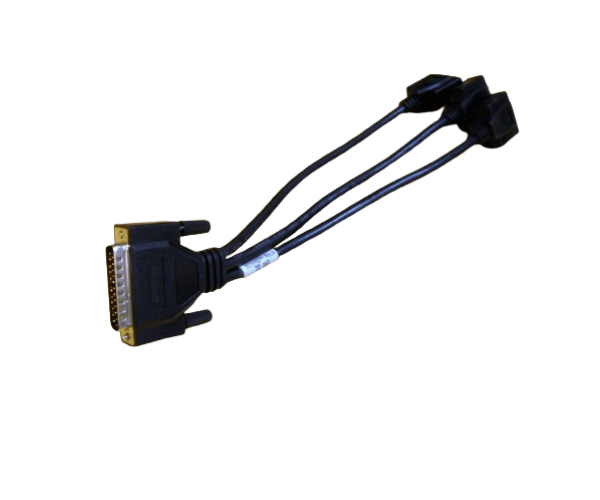
HP A6144-63001 CONSOLE CABLE FOR A6696A
The
HP A6144-63001 Console Cable for A6696A is a high-quality cable designed for seamless connectivity between your HP A6696A console and other devices. This cable ensures reliable and efficient communication, making it essential for maintaining optimal performance and smooth operation of your equipment.
User Experience
The
HP A6144-63001 Console Cables for A6696A is well-regarded for its dependable performance and ease of use. Users find it reliable for connecting the HP A6696A console to various devices, ensuring stable and uninterrupted communication. The cable’s 1.5-meter length provides flexibility in setup, and its durable build withstands regular use. Overall, users appreciate the
HP A61 44-63001 Console Cable for A6696A for its effectiveness in maintaining optimal equipment performance.
Why Choose The HP A6144-63001 CONSOLE CABLE FOR A6696A?
Choosing the
HP A6 144-63001 Console Cable for A6696A guarantees a reliable and efficient connection for your HP A6696A console. This cable is specifically designed to support seamless communication, ensuring that your console operates effectively. With its robust construction and precise fit, the
HP A61 44-63001 Console Cable for A6696A is the ideal choice for maintaining consistent performance and connectivity for your equipment.
Key Features
- Reliable Connectivity: The HP A6 144-63001 Console Cable for A6696A provides stable and dependable communication between your HP A6696A console and other devices.
- Durable Construction: Built with high-quality shielding and insulation to ensure long-lasting performance and reduce signal interference.
- Flexible Length: At 1.5 meters, the cable offers adequate length for various setups and configurations.
- Easy Installation: Designed for straightforward installation with RS-232 serial connectors, making setup quick and simple.
- Compatibility: Specifically engineered for the HP A6696A console, ensuring a perfect fit and optimal performance.
Installation Steps
- Power Down Devices: Before connecting the HP A6 144-63001 Console Cable for A6 696A, ensure all devices are powered off.
- Identify Connectors: Locate the RS-232 serial ports on the HP A6696A console and the device you wish to connect.
- Connect the Cables: Plug one end of the HP A6144-63001 Console Cable for A 6696A into the RS-232 port on the HP A66 96A console.
- Secure the Connection: Firmly insert the other end of the cable into the corresponding RS-232 port on the connecting device.
- Power On Devices: Turn on the HP A6696A console and the connected device. Verify that the connection is established and operational.
- Test the Connection: Ensure that communication between the HP A6696A console and the device is functioning correctly.