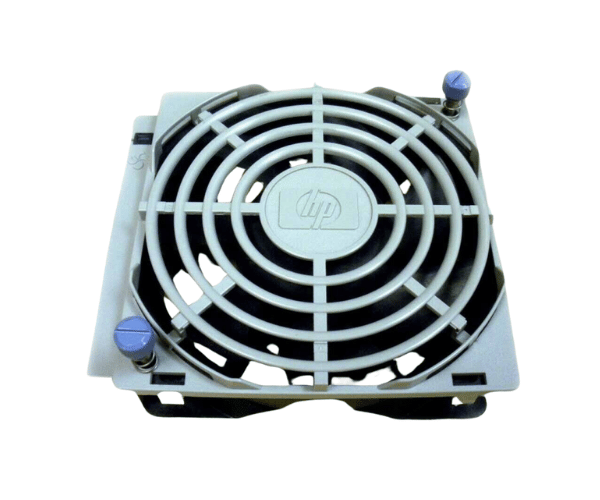
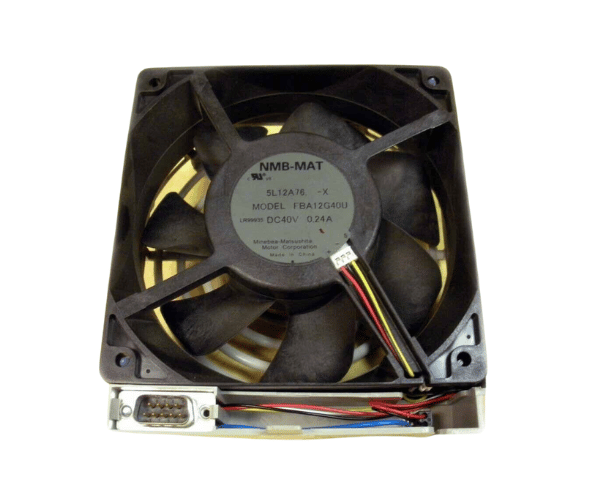
HP A6093-04001 RP84XX Front Fan
The HP A6093-04001 RP84XX Front Fan is a high-performance cooling solution designed for the HP RP84XX series servers. This front fan ensures efficient airflow, preventing overheating and maintaining optimal performance. With its reliable operation, the HP A6093-04001 is essential for keeping your server running smoothly and effectively.
User Experience
The HP A6093-04001 RP84XX Fan is praised by users for its robust cooling performance and ease of installation. It effectively maintains server temperatures, ensuring stable operation even during heavy workloads. Users appreciate the fan’s low noise level, which contributes to a quieter working environment. Overall, the HP A6093-04001 is considered a reliable component for enhancing server cooling and performance.
Why Choose the HP A6093-04001 RP84XX Front Fan?
The
HP A6093-04001 Front Fan is specifically designed for the HPE RP84XX series servers, making it a perfect fit for optimal cooling. Choosing this fan ensures your server receives the precise airflow needed to prevent overheating and ensure consistent performance. The HP A60 93-04001’s durable construction and low noise operation further enhance its value, making it an excellent choice for maintaining server health and efficiency.
Key Features
- Efficient Cooling: Delivers high-performance airflow to prevent overheating and maintain optimal server temperatures.
- Low Noise Operation: Designed to operate quietly, reducing workplace noise.
- Durable Construction: Made from high-quality plastic and metal for long-lasting reliability.
- Easy Installation: The front-mounted design enables simple installation and replacement.
- Compatibility: Specifically designed for HP RP84XX series servers, ensuring perfect fit and function.
Installation Steps
- Power Down the Server: Ensure the server is turned off and disconnected from all power sources for safety.
- Access the Front Fan Area: Open the server chassis to reach the front fan compartment.
- Remove the Existing Fan: Carefully detach the old front fan assembly from its position.
- Install the HP A6093-04001 Fans: Place the HP A6093-04001 RP84XX Fan into the designated slot and secure it.
- Check Connections: Ensure that all connections are properly fitted and the fan is securely installed.
- Close the Server Chassis: Replace the cover or panel of the server chassis.
- Power On the Server: Reconnect the power and start the server, verifying that the new fan is operating correctly and efficiently.