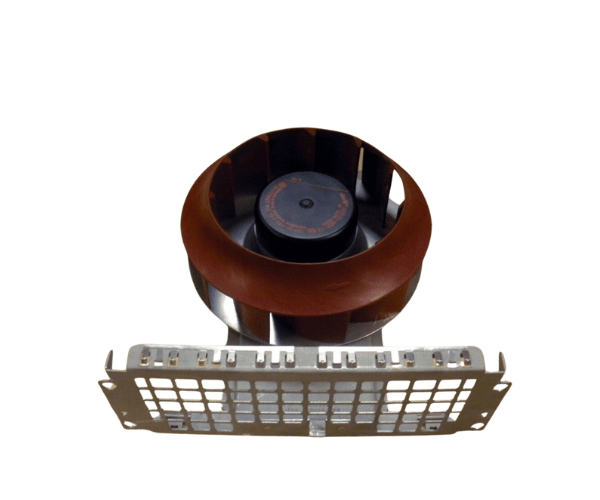
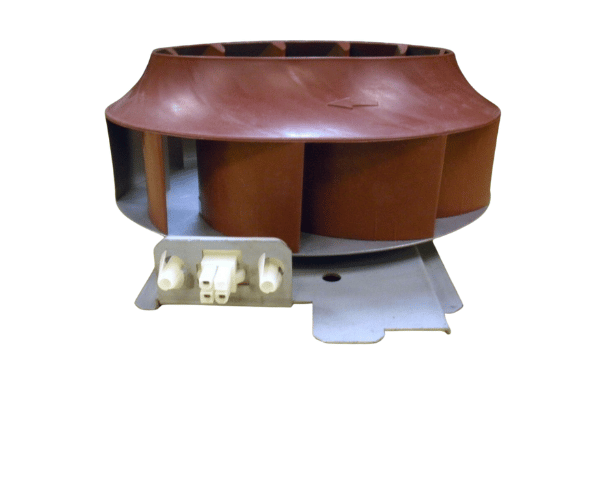
HP A2375-00041 Fan Assembly
The HP A2375-00041 Fan Assembly is designed to deliver reliable cooling for HP systems. With its efficient airflow and durable construction, the HP A2375-00041 Fan Assembly helps maintain optimal temperatures, preventing overheating and ensuring smooth operation. This fan assembly is essential for maintaining system performance and longevity.
User Experience
Users of the HP A2 375-00041 Fan Assembly find it to be a reliable solution for keeping HP systems cool. The fan assembly is appreciated for its effective cooling performance and quiet operation, which helps maintain a peaceful working environment. Users report that the HP A2375-00041 Fans Assembly integrates easily into their systems, providing a straightforward replacement or upgrade. The robust build quality ensures long-term reliability, reducing the frequency of replacements. Overall, the HP A2375-00041 fan is valued for its efficiency and dependable performance.
Why Choose the HP A2375-00041 Fan Assembly?
Choosing the
HP A2375-00041 fan ensures that your HP system receives consistent and effective cooling. The HP A23 75-00041 Fan Assembly is specifically designed to fit and function within HP systems, providing optimal airflow and temperature management. Its low noise and energy-efficient design make it ideal for both quiet and high-demand environments. By opting for the HP A23 75-00041 Fan Assembly, you invest in a cooling solution that enhances system performance and extends hardware life.
Key Features
- Optimized Compatibility: Designed for seamless integration with HP systems.
- Effective Cooling: ensures efficient airflow to prevent overheating.
- Durable Construction: Made from high-quality materials for reliable performance.
- Quiet Operation: low noise levels for a more comfortable working environment.
- Energy Efficient: Consumes minimal power while providing effective cooling.
Installation Steps
- Power Down the System: Turn off the system and disconnect it from all power sources.
- Open the System Chassis: Remove the cover or access panel to access the internal components.
- Locate the Existing Fan: Identify the position where the old fan assembly is installed.
- Remove the Old Fan Assembly: Disconnect and remove the old fan from its mount.
- Install the HP A2375-00041 Fans: Position the HP A2375-00041 Fan into the designated slot and secure it with screws or clips.
- Reassemble the System: Replace the cover or access panel and reconnect all power sources.
- Verify Operation: Power on the system and ensure that the fan assembly is operating correctly and providing adequate cooling.