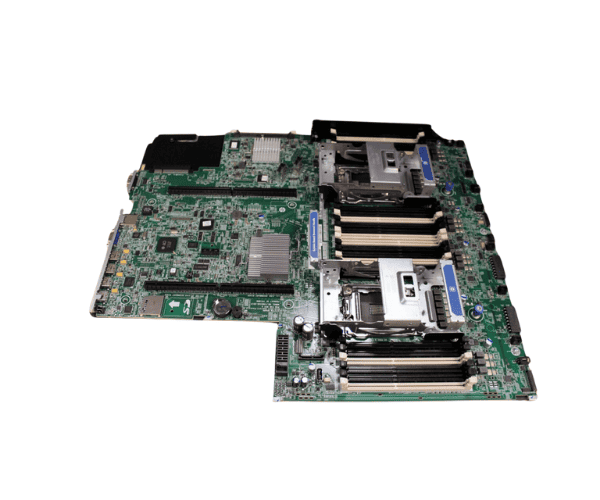
HP 801939-001 DL380p Gen8 V2 System Board
The
HP 801939-001 DL380p Gen8 V2 System Board is a high-performance motherboard designed for the HP ProLiant DL380p Gen8 server. It offers reliability, robust features, and scalability to handle heavy workloads in enterprise environments. This system board is engineered to support multiple processors and advanced memory configurations, providing seamless server operation.
User Experience
The
HP 80193 9-001 DL380p Gen8 V2 System Board provides a smooth and reliable server experience. Users appreciate the high scalability, allowing up to two Intel Xeon processors and a large memory capacity of 768GB DDR3. This performance enables fast data processing, making it ideal for virtualization, cloud computing, and data-intensive applications. IT professionals find the installation and configuration straightforward, and the robust connectivity options ensure that the server integrates seamlessly into various network setups.
Why Choose the HP 801939-001 DL380p Gen8 V2 System Board?
Choosing the
HP 801939-001 DL380p Gen8 System Board means investing in a reliable and scalable system foundation. This motherboard supports multiple expansion options, making it future-proof for various enterprise applications. The high memory capacity and fast processor support enable efficient multitasking and heavy data loads, crucial for businesses needing dependable performance. Additionally, the
HP 801939-001 DL380p Gen8 V2 Board is designed with robust security features to protect sensitive data, providing peace of mind for IT departments. With proven HP engineering, this system board guarantees longevity and stable performance.
Installation Steps
- Power off and unplug the server.
- Open the server case and locate the system board tray.
- Gently remove the old system board (if replacing) by disconnecting all cables and unscrewing it from the tray.
- Install the new HP 801939-001 DL380p Gen8 System Board into the tray.
- Secure the board with screws and reconnect all necessary cables.
- Close the server case, plug in the power cord, and power on the server.
- Verify that the system board is detected and operating correctly through the BIOS.



-70x60h.png "HP 491835-001 ML370 G6 System Backplane Board")


