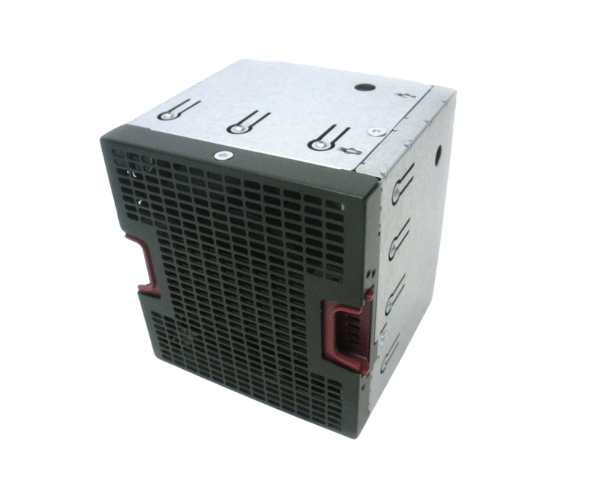
HP 735513-001 732428-001 Fan Module Assembly DL580 Gen8 DL580 Gen9
The HP 735513-001 and 732428-001 Fan Module Assembly is a critical component for HP DL580 Gen8 and Gen9 servers, ensuring optimal cooling performance. Designed to enhance airflow and prevent overheating, this fan module assembly supports efficient server operation and longevity, making it an essential part of your server's cooling system.
User Experience
The HP 735513-001 and 732428-001 Fan Module assemblies is praised for its reliable cooling performance and ease of installation. Users appreciate the hot-swappable feature, which allows for quick replacement without downtime, ensuring continuous server operation. The fan modules effectively manage airflow, preventing overheating and maintaining optimal server performance. Customers report enhanced stability and longevity of their HP DL580 Gen8 and Gen9 servers due to the efficient cooling provided by these fan module assemblies.
Why Choose the HP 735513-001 and 732428-001 Fan Module Assemblies?
The
HP 735513-001 and 732428-001 Fan Module Assemblies are ideal for those seeking reliable cooling solutions for HP DL580 Gen8 and Gen9 servers. These fan modules are engineered to fit perfectly and provide efficient cooling, helping to prevent overheating and extend the life of your servers. With the HP 735513-001 and 732428-001, you get a hot-swappable design that allows for easy replacement, minimizing server downtime and maintaining optimal performance. Investing in these fan module assemblies ensures your servers operate smoothly and reliably.
Key Features
- Effective Cooling: Provides efficient airflow management to keep HP DL580 Gen8 and Gen9 servers cool.
- Hot-Swappable Design: Allows for easy replacement without shutting down the server.
- Front-to-Back Airflow: Ensures effective cooling by directing airflow from the front to the back.
- Compatibility: Specifically designed for HP DL580 Gen8 and Gen9 servers.
- Lightweight Construction: Easy to handle and install.
Installation Steps
- Power Down the Server: Ensure the HP DL580 Gen8 or Gen9 server is powered off before starting the installation.
- Locate the Fan Module Slots: Find the fan module slots in the server chassis.
- Remove Existing Fan Module: If replacing an old fan module, carefully remove it from its slot.
- Insert the HP 735 513-001 or 732428-001 Fan Module Assembly: Align the new fan module with the slot and slide it into place.
- Secure the Module: Make sure the fan module is properly seated and connected.
- Power On the Server: Reconnect power and turn on the server to confirm the new fan module is functioning correctly.